
ELD Mandate: What is Actually Required
Many drivers and fleet managers still view the electronic logging device as a simple GPS tracker. However, the technical specifications laid out by the FMCSA require a much more sophisticated integration between the vehicle and the software. To be truly compliant, a system must meet rigorous standards for “Integral Synchronization.”

The “Integral Synchronization” Rule
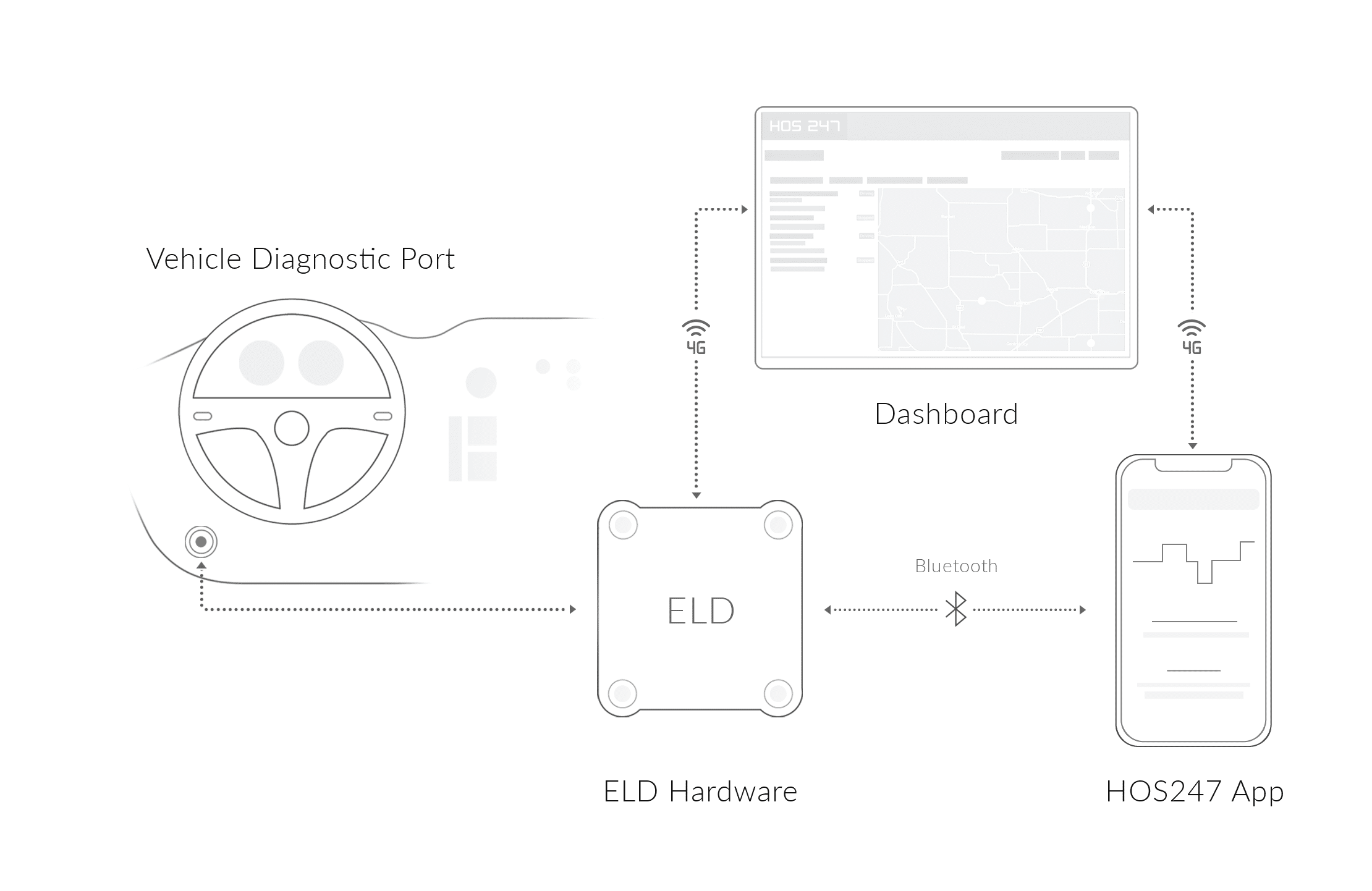
A compliant ELD cannot be a standalone GPS app on a smartphone that you manually toggle on and off. The regulations mandate that the device must be “integrally synchronized” with the engine’s Engine Control Module (ECM). This means the device must be hardwired or plugged directly into the diagnostic port (J1939, J1708, or OBDII) to automatically capture data points without human intervention.
To meet this standard, the device must automatically track and record:
- Engine power status. The device must log exactly when the engine is powered on and off.
- Vehicle motion status. This is the critical threshold. The system must automatically trigger a “Driving” status when the vehicle moves at a speed of 5 miles per hour or more. This removes the possibility of a driver “forgetting” to log drive time.
- Miles driven. The device must read the odometer data directly from the ECM, ensuring that the distance recorded on the log matches the vehicle’s actual dashboard reading.
- Engine hours. Total engine hours must be captured to track vehicle usage and maintenance intervals.
The Data Transfer Requirement
One of the most common points of failure during a roadside inspection is the data transfer. It is not enough for the officer to simply look at your screen; the officer may request that your logs be transferred directly to their eRODS software for analysis. A compliant system must support at least one of the two mandated “Telematics” transfer methods:
- Wireless web service. The ELD sends the log file via a secure, encrypted internet connection directly to the FMCSA server.
- Email transfer. The ELD formats the log data into a specific file type and emails it to a designated FMCSA address.
While some devices also support “Local Transfer” methods via USB 2.0 or Bluetooth, the Web Service method is the industry standard for speed and reliability. If your device cannot successfully execute this “handshake” with the DOT server, you can be cited for a non-compliant device.
Automatic vs. Manual: The Division of Labor
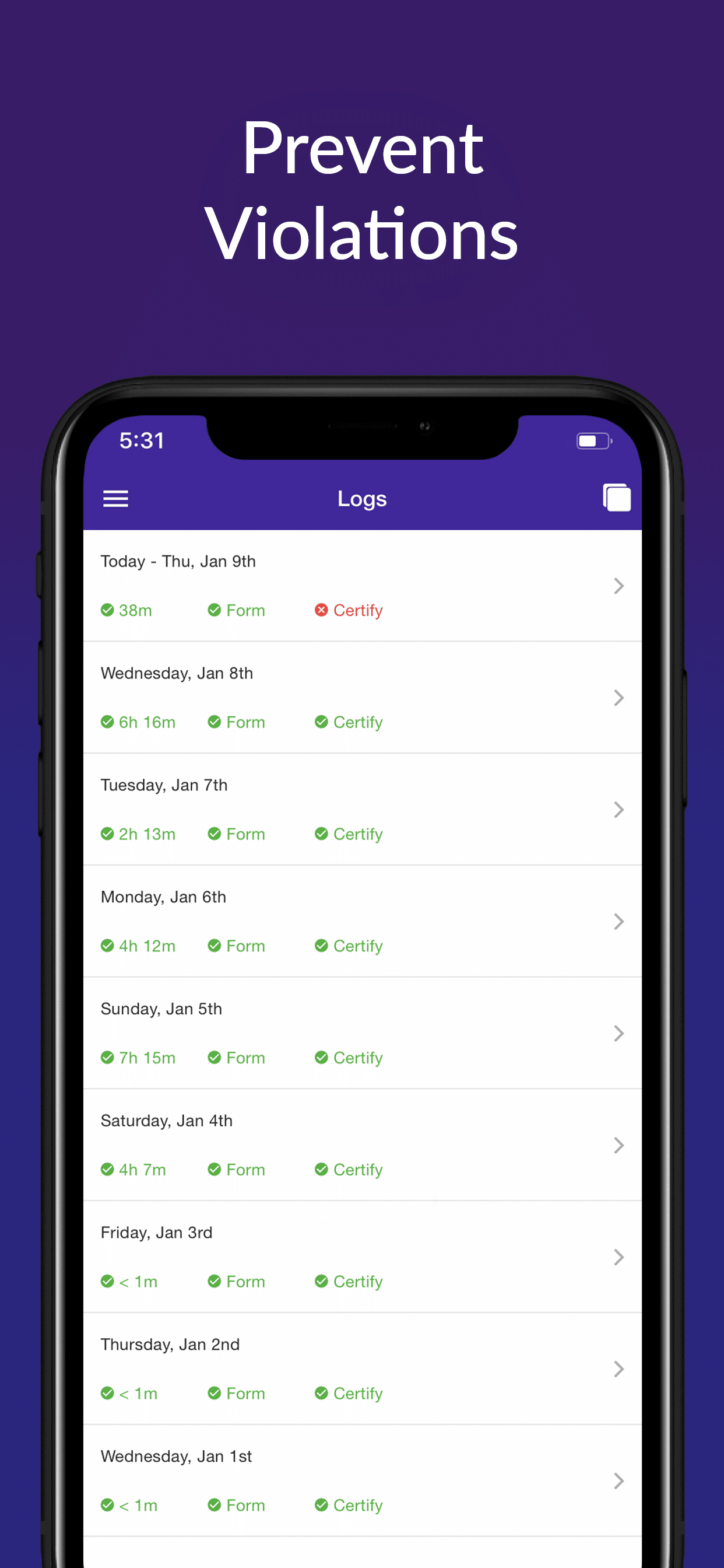
The mandate creates a specific division of labor between the machine and the human. The device is responsible for objectively recording movement. It automates the “Driving” status. However, the driver remains responsible for manually selecting all other duty statuses: “On-Duty Not Driving,” “Sleeper Berth,” and “Off-Duty.” Furthermore, the driver must certify their logs daily. The system cannot sign the log for you; your digital signature is the legal equivalent of signing a paper logbook, attesting that the data is true and correct.
DOT Mandate Exemptions
While the mandate is broad, it is not universal. The FMCSA recognizes that certain operations and vehicle types do not fit the standard mold of long-haul trucking. Understanding these exemptions can save you the cost and complexity of installing a device you do not legally need. However, enforcement officers are trained to scrutinize these claims, so accurate documentation is essential.
The Pre-2000 Engine Rule
This is perhaps the most widely discussed and misunderstood exemption. The rule states that vehicles equipped with engines manufactured before the model year 2000 are exempt from the ELD mandate.
- The crucial detail. The exemption is based on the engine model year, not the vehicle identification number (VIN) or the chassis model year. This distinction is vital for “Glider Kits” — newer trucks outfitted with older, rebuilt engines.
- Documentation. If you are running a 2005 truck with a 1998 engine, you are exempt. However, because the VIN will indicate a 2005 vehicle, you must carry documentation (such as the engine block tag or a manufacturer’s letter) proving the engine’s model year to avoid confusion during an inspection.
Under 2026 enforcement protocols, high-resolution photos of the engine data plate are generally accepted as secondary proof if the original tag is weathered.
Short-Haul Exemption (150 Air-Mile Radius)
Local drivers often qualify for the short-haul exemption, which relieves them from the requirement to maintain a detailed log grid or use an ELD. To qualify, you must meet all of the following strict conditions:
- Radius limit. You must operate within a 150 air-mile radius of your normal work reporting location.
- Return home. You must return to that same work reporting location and be released from work within 14 consecutive hours.
- Rest period. You must have at least 10 consecutive hours off-duty separating each 14-hour on-duty period.
Under this exemption, drivers are also relieved of the 30-minute rest break requirement. If you exceed the 150-mile radius or the 14-hour window even once, you must create a standard log for that day. If you break these rules frequently (more than 8 days in a 30-day period), you lose the exemption and must install an ELD.
Driveaway-Towaway Operations
This exemption is specific to the transport of vehicles where the commodity being delivered is the vehicle itself.
- The rule. If the vehicle you are driving is part of the shipment (e.g., you are delivering a new truck or a motorhome to a dealership) and at least one set of the vehicle’s wheels is on the road, you are exempt from using an ELD.
- Why. In these scenarios, the driver does not own the vehicle and cannot reasonably be expected to install hardwired equipment into a unit that belongs to a customer.
The “8 in 30” Rule
This catch-all exemption applies to drivers who are only occasionally required to keep Records of Duty Status. If you use paper logs for not more than 8 days during any rolling 30-day period, you are not required to install an ELD.
This often applies to short-haul drivers who occasionally pick up a longer run. As long as those long runs happen fewer than 9 times in a month, you can legally log them on paper. However, the moment you hit the 9th day, the exemption evaporates, and an ELD must be installed for the remainder of the 30-day cycle.
If you claim an exemption, you must have the documentation to back it up immediately during an inspection. If you are constantly operating on the edge of the 150-mile radius or the 8-day threshold, the administrative effort to prove your status can sometimes be more stressful than simply using a compliant device. Review your operation carefully; if there is any ambiguity, a reliable ELD is often the safest insurance policy against a costly violation.
Why “System Reliability” Protects Your Business
In the world of logistics, uptime is currency. When your truck is moving, you are earning. When you are parked at a weigh station troubleshooting a tablet that won’t connect, you are losing money. This is why system reliability is not a luxury feature — it is a business protection strategy.
Hardware + Software: The Two Halves of Reliability
A robust ELD system consists of two distinct parts that must work in perfect harmony: the physical hardware and the user application.
- The hardware risk. The market is flooded with cheap, “white-label” dongles. These are often generic devices mass-produced with low-quality components. They are prone to vibrating loose from the diagnostic port or overheating on the dashboard. When the hardware fails to read the engine protocols correctly, it triggers “Data Diagnostic Events” or “Malfunctions,” forcing the driver to stop and troubleshoot.
- The software risk. Hardware is only half the battle. You interface with the app, not the dongle. If the software is poorly coded, it may crash, freeze, or drain your tablet’s battery. Worst of all, if the app fails to sync with the fleet portal, the dispatcher cannot see the driver’s hours, leading to scheduling errors and potential HOS violations.
Connectivity: The Weak Link
The invisible bridge between the hardware and the software is the connection protocol — usually Bluetooth. This is historically the number one source of driver frustration.
- The scenario. You pull into a DOT inspection station. The officer asks to see your logs. You open the app, but the screen says “Disconnected.” You toggle Bluetooth, restart the tablet, and unplug the device — all while the officer waits. This delay creates suspicion and tension.
- The solution. You need a system where the hardware and software are engineered to pair seamlessly. A reliable provider optimizes the Bluetooth “handshake” to ensure that the connection is re-established instantly every time the driver enters the cab.
The Cost of Failure: Form & Manner Violations
Reliability also extends to compliance automation. Many violations issued are not for driving over hours, but for “Form and Manner” errors — simple administrative mistakes.
- Missing data. A reliable app will prompt the driver to enter required information, such as the shipping document number, trailer number, and carrier name. Cheap software often skips these validation checks, allowing drivers to submit incomplete logs that result in easy citations for inspectors.
The “Malfunction” Paper Log Rule
The FMCSA has a specific protocol for when technology fails. If your ELD experiences a malfunction that prevents it from recording or retaining hours of service data, you must revert to paper logs.
- The critical limit. You are allowed to use paper logs for only 8 days following the malfunction.
- The consequence. If the device is not repaired or replaced within that 8-day window, you cannot legally drive. To continue operating, the carrier must formally request an extension from the FMCSA regional administrator within 5 days of the malfunction. This is a bureaucratic hurdle that most fleets want to avoid. If the extension is denied or ignored, and the driver is caught using paper logs on day 9, they will be placed out of service. Reliability is the only insurance against this risk.

Essential Features of a Compliant ELD System
Not all registered devices are sufficient to achieve compliance. Since the FMCSA does not physically test devices before adding them to the registry (they rely on self-certification), the burden of vetting quality falls on you. Here are the essential features to look for to ensure you are buying an efficient tool.
User-Friendly Interface
Design matters. When a driver is fatigued at the end of an 11-hour shift, or under pressure during a roadside inspection, they should not have to navigate complex menus to find their logs. Large, high-contrast buttons that are easy to tap with shaky hands. Clear visual indicators of duty status. A simple “one-click” workflow for the DOT inspection mode. If the driver needs a manual to figure out how to go Off-Duty, the design has failed.
Stable App Performance
The ELD app is often running in the background for 14+ hours a day. It must be efficient enough not to drain the tablet’s battery or overheat the device. Look for an app with a high rating on the Google Play Store or Apple App Store. Read the recent reviews — if drivers are complaining about “crashing,” “freezing,” or “forced restarts,” steer clear.
FMCSA Registration Status
Before purchasing any system, you must verify that the specific device name and model are listed on the FMCSA’s Registered ELDs list. Crucially, check the “Revoked Devices” list. The FMCSA regularly removes devices that fail to meet technical standards. Using a revoked device is equivalent to having no ELD at all. A reputable provider will have a clean history and a transparent status on the registry.
Trial Periods
No amount of marketing copy can replace real-world testing. The best way to evaluate reliability is to put the device in a truck for two weeks. Look for providers that offer a trial period or a money-back guarantee. This allows you to test the Bluetooth connectivity, the ease of installation, and the responsiveness of the support team before you commit to a long-term relationship.
Ultimately, the price of an ELD is not just the monthly subscription fee, it is the cost of the downtime it prevents. A “cheap” device that fails during a Level III inspection costs you far more in fines and lost hours than a quality system does in annual fees. By prioritizing these essential features you are investing in an insurance policy for your fleet’s compliance score.
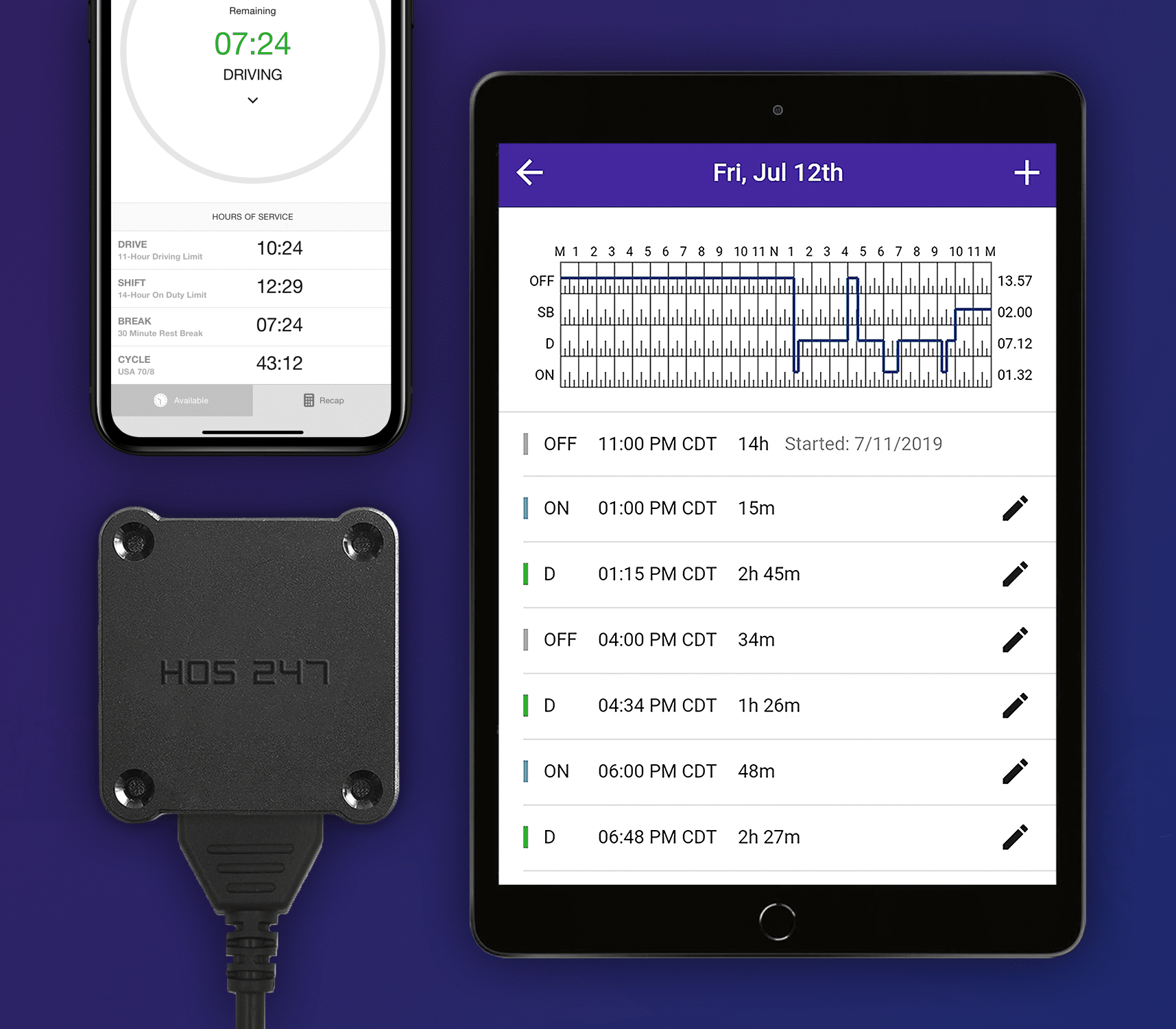
HOS247 DOT Mandatory Electronic Logs Benefits: A Complete, Dependable Ecosystem
HOS247 has built its reputation by focusing on the friction points that frustrate drivers and fleet managers. We understand that compliance is a requirement, but efficiency is a choice. Our system is designed to provide a dependable ecosystem where the technology works for you, not against you.
System Reliability
Unlike many competitors who mix and match third-party hardware with white-labeled software, HOS247 offers a cohesive system. Our hardware and software are tuned to work together. This “system synergy” significantly reduces the frequency of connection drops and synchronization errors often found in Bring Your Own Device (BYOD) setups. The result is a stable, consistent connection that drivers can trust.
Top-Rated Multilingual Support
Technology is great, but sometimes you need a human. HOS247 offers an industry-leading support structure.
- We are available to help. Our team is available 7 days a week. We know that trucking doesn’t stop on weekends, and neither do we.
- We speak your language. Support is available in English, Spanish, Russian, and Polish. This is critical for diverse fleets. If a driver has a compliance question or a technical hiccup, they can explain it in their native language and get an immediate, accurate solution.
- We know the rules. Our support agents are trained on FMCSA regulations. We don’t just tell you which button to press; we help you understand the compliance reasons behind it. Whether you are dealing with an unassigned driving event or need clarification on a split-sleeper split, you are talking to an expert who understands the law, not just the software.
No-Contract Policy
We believe that we should earn your business every month. While many large providers try to lock fleets into restrictive 3-year contracts with hefty cancellation fees, HOS247 operates on a flexible, no-contract basis. This policy aligns our incentives with yours — we have to provide excellent service and reliable hardware to keep you as a customer.
All-in-One Solution
HOS247 streamlines your operations by consolidating multiple tools into a single app.
- IFTA mileage. The system automatically calculates mileage by jurisdiction, simplifying quarterly tax reporting.
- GPS tracking. Real-time visibility into vehicle location improves dispatching and customer service.
- Vehicle diagnostics. Receive alerts for engine fault codes, helping you address maintenance issues before they cause a breakdown. By handling these functions in one platform, we reduce the need for multiple subscriptions and apps.
Driver-Centric Design
Our app is consistently rated highly by drivers because it respects their time. The interface is intuitive, requiring minimal training. Drivers can log in, complete their DVIR, and start driving in seconds. This ease of use reduces log errors and makes the transition to HOS247 seamless for the entire fleet.
HOS247 is built on the philosophy that your technology should be the quietest part of your day. By combining high-quality hardware with a flexible, driver-friendly app and backing it with human support, we transform compliance from a daily struggle into a background process. We handle the data and the regulations so you can focus on the road, knowing that your fleet is supported by a system designed to keep you moving.
Passing the Inspection: A Driver’s Checklist
Even with the best ELD system in the world, you can still be cited if you are missing the required physical documentation. The FMCSA mandates that every driver must carry specific items in the cab at all times. Use this checklist to ensure you are ready for a roadside inspection.
1. User Manual for the ELD
You must have a user manual (either digital or paper) that describes how to operate the ELD. This shows the officer that you have the resources to use the device correctly. As of 2026, most officers accept digital manuals, but having a paper copy ensures zero downtime if your tablet battery dies.
2. Data Transfer Instruction Sheet
This is a step-by-step guide that explains how to transfer your logs to the safety official. In a high-stress situation, it is easy to forget the steps. This sheet ensures you can perform the transfer quickly and correctly.
3. ELD Malfunction Reporting Sheet
You need an instruction sheet that describes the malfunction codes and the procedures for reporting a failure to your carrier. This proves you know what to do if the device breaks.
4. Supply of Blank Paper Logs
You are required to carry a supply of blank paper Records of Duty Status (RODS) graph grids sufficient to record your duty status for at least 8 days. This is your backup plan. If the ELD fails, you must be able to start logging on paper immediately.
The “Instruction Card” Tip
We recommend keeping a laminated “DOT Reference Card” handy. This card should summarize the transfer instructions and list the location of the user manual. Handing this to an officer along with your license shows that you are organized, professional, and prepared, which sets a positive tone for the entire inspection.
During a roadside stop, perception is reality. A driver who fumbles for a manual or cannot find their spare logs signals to the officer that they are disorganized, prompting a deeper investigation. Conversely, a driver who can immediately produce these required items demonstrates professionalism and competence. Keeping this checklist complete doesn’t just keep you legal; it speeds up the inspection process, getting you back on the highway faster.
Future-Proofing Your Fleet
DOT mandatory electronic logs are a reality but they don’t have to be a burden. By understanding the technical requirements, knowing your exemption status, and choosing the right technology partner, you can turn a federal mandate into a streamlined part of your fleet management.
Reliability is the key to future-proofing your business. A stable system protects you from violations, saves you time at weigh stations, and keeps your trucks moving. Choosing a partner like HOS247 ensures that your compliance is handled by experts, allowing you to focus on what you do best: driving.
Don’t settle for unreliable connections and frustrating support. Experience the difference a dependable system makes. Check out the HOS247 demo or start your two-week trial today to see why thousands of drivers trust us to keep them compliant.
A Note to Our Readers on Compliance
This article is intended for informational and educational purposes only. It is not a substitute for official regulatory guidance or legal advice. HOS and ELD regulations are complex and subject to change and interpretation by enforcement authorities. Please always refer to official sources for the most current and accurate information.

I’ve co-founded, built and managed several transportation-related businesses. Now, I’m a founder and CEO of HOS247 – an AI Transportation Platform for trucking companies, freight brokers and other logistics operations. We are transitioning old-style operations to technology-advanced logistics entities and help them to grow their businesses. ELDs (electronic logging devices), fleet tracking and management 2.0 combined with AI-powered dispatch tools.










Staying on top of hours of service (HOS) rules is crucial for truckers and fleet managers. These regulations are designed to keep roads safe and drivers healthy by preventing fatigue-related accidents. However, keeping accurate track of driving time and rest
Is your current ELD more of a headache than a help? As a professional driver, you rely on your tools to be efficient and dependable. Yet, many truckers are stuck with systems that cause constant frustration — dropped connections during
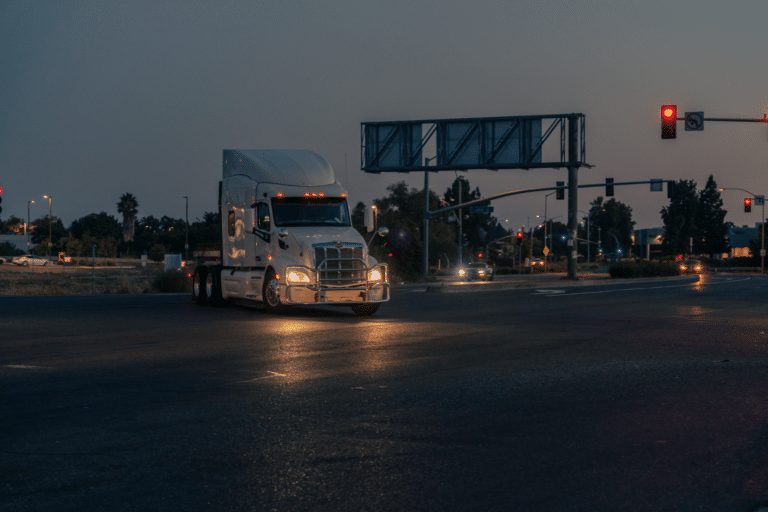
Reliable electronic logging devices (ELDs) have become essential equipment for today’s truckers. Since the federal mandate took effect, these devices have moved from optional technology to required tools for staying compliant and running efficiently. The ELD mandate changed how you