
Commercial drivers must follow truck driver log book rules to operate legally across interprovincial boundaries. Daily time records play an essential role in commercial motor vehicle safety, tracking driver duty hours to reduce fatigue-related accidents on freight routes. Missing or inaccurate entries create serious operational risks. Record-keeping errors lead to delayed dispatches, elevated carrier risk scores, and immediate roadside penalties during inspection station scale checks.
Managing manual paperwork or unstable software causes constant driver anxiety. Administrative errors cost time and money. Failing an inspection triggers fines, harms carrier safety ratings, and reduces driver earning potential. Drivers and fleet operators need a clear understanding of safety regulations, duty status lines, hardware requirements, and automated compliance tools.
Federal Mandate Overview: What Are the Truck Driver Log Book Rules in Canada?
Federal regulations under Commercial Vehicle Drivers Hours of Service Regulations establish specific truck driver log book rules in freight lanes. These rules apply to most commercial motor vehicles involved in interprovincial commerce.
Drivers must maintain an accurate Record of Duty Status (RODS) for every 24-hour period if their vehicle meets any of the following criteria:
- Weight threshold. Weighs 4,500 kilograms or more in gross vehicle weight rating (GVWR), registered gross weight, or actual gross weight.
- Placarded hazardous loads. Transports dangerous goods in quantities requiring safety placards under federal rules.
- Passenger transport capacity. Transports 11 or more passengers including the driver.
Unless exempt, federal rules require pairing a mobile log app directly with an engine control module (ECM) gateway. The hardware reads engine data directly, recording vehicle motion automatically once speeds exceed 8 kilometers per hour to verify log accuracy. However, specific operational scenarios remove the requirement for integrated telematics hardware altogether.

Exemptions to the Electronic Logging Mandate
Not every commercial operation requires an Electronic Logging Device (ELD). Drivers can use paper logs or daily time records if they qualify for specific statutory exemptions under Section 77.1 or Section 74:
- 160-kilometer short-haul exception. Drivers who operate within a 160-kilometer radius of their home terminal and return daily to take at least 8 consecutive hours of core off-duty rest do not need to keep a daily RODS or use an ELD. Employers track shift hours using daily timecard records.
- Pre-2000 vehicle model years. Vehicles with a model year 1999 or older (as indicated on the official vehicle registration document) are exempt from electronic hardware mandates due to ECM diagnostic protocol limits, regardless of the engine block model year. Drivers in these vehicles maintain paper graph logs instead.
- Driveaway-towaway operations. Runs where the commercial vehicle driven serves as the actual shipment payload do not require electronic logging hardware.
- Short-term truck rentals. Vehicles operated under a formal rental agreement of 30 days or fewer that is not an extended or renewed rental of the same vehicle do not require an integrated logging device, provided drivers carry paper RODS covering the preceding 14 consecutive days.
- Permit holders and statutory exemptions. Commercial vehicles operated under a specific permit issued by a provincial authority or an official exemption issued pursuant to section 16 of the Motor Vehicle Transport Act.
Unless a carrier meets the criteria for a complete exemption, maintaining an active, third-party certified engine-synced logging device helps ensure full regulatory compliance. However, selecting software from commercial application stores requires careful evaluation, as technical reliability varies widely across platforms.
Common Marketplace Software Complaints
Driver feedback on public marketplaces highlights several recurring operational issues with lower-rated logging software:
- App lockups in dead zones. Unstable apps freeze or crash when losing cellular connectivity in remote areas, leading to missing data blocks.
- Excessive screen taps. Complex menu structures force drivers to navigate through multiple sub-menus just to update a form field or switch duty status.
- Forced updates during dispatches. Automatic mid-shift updates disrupt app operation, temporarily locking drivers out of logs while on the road.
How Reliable Logging Software Solves Marketplace Pain Points
A properly engineered logging platform addresses these software failures through targeted technical design:
- Local memory caching. Internal gateway memory continues recording status updates during cellular outages, uploading stored records automatically once reception returns without app freezes or missing data blocks.
- Streamlined display layout. Intuitive interface navigation allows drivers to switch duty statuses, add log annotations, or complete inspection reports with minimal screen taps.
- Controlled software updates. Application updates process in the background or during off-duty hours, preventing unexpected mid-shift reboots or driver lockouts on the road.
Mitigating software instability keeps drivers focused on safe transit rather than troubleshooting mobile applications during active shifts. Deploying a purpose-built platform translates these hardware and software fixes into direct daily operational advantages.
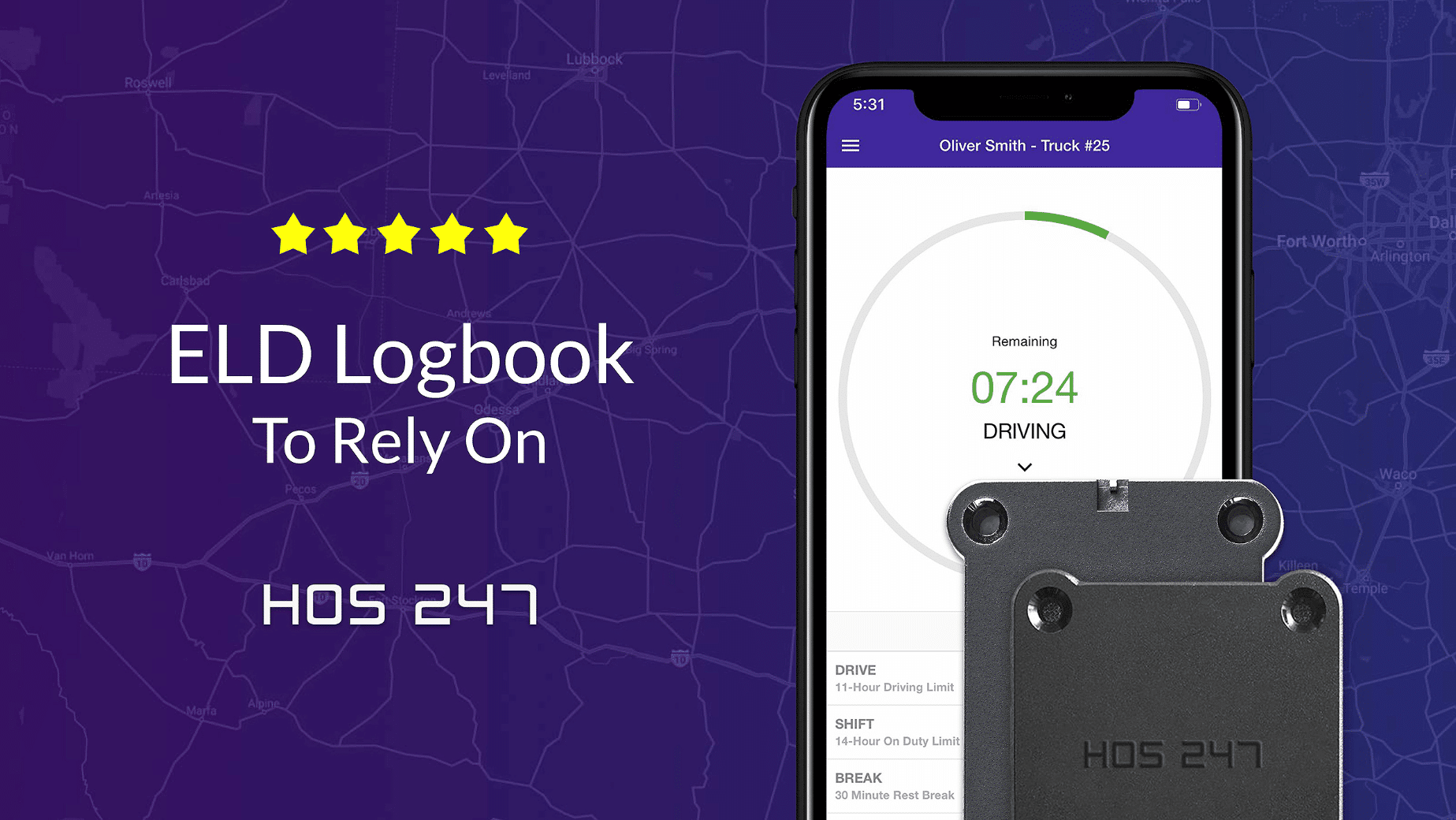
Operational Advantages of the HOS247 Logging Platform
Managing fleet logistics requires tools that simplify daily tasks while maintaining full compliance. HOS247 provides a straightforward platform designed to reduce administrative workloads for drivers and fleet managers:
- Driver-focused mobile application. Minimizes screen taps for duty status updates, log annotations, and Driver Vehicle Inspection Reports (DVIR).
- Plug-and-play vehicle gateway. Connects via persistent Bluetooth to diagnostic ports to maintain continuous engine synchronization.
- Integrated vehicle diagnostics remote testing. Transmits diagnostic data automatically to compliance portals via the vehicle gateway, avoiding unnecessary shop visits and administrative holds.
- Multilingual support. Provides dedicated technical assistance and roadside scale inspection guidance in multiple languages, including English, Spanish, Polish, and Russian.
- Stable software execution. Prevents application freezes and battery drain during long dispatches through light background processing code.
- Universal cable assemblies. Fits standard 9-pin, 6-pin, and OBDII diagnostic ports across Class 8 tractors, medium-duty trucks, and vocational rigs.
- Transparent equipment policies. Allows carriers to swap damaged cables or gateway modules quickly without unexpected fees.
- Centralized fleet portal. Offers real-time visibility into driver logs, GPS location tracking, and International Fuel Tax Agreement (IFTA) distance reports.
- No-contract subscription plans. Allows carriers to scale active device counts up or down based on operational needs without long-term hardware leases.
Combining reliable engine connectivity with a driver-focused application creates the technical foundation needed to handle daily record-keeping requirements. With dependable telematics established, managing the standard 24-hour graph grid becomes a routine, systematic process.
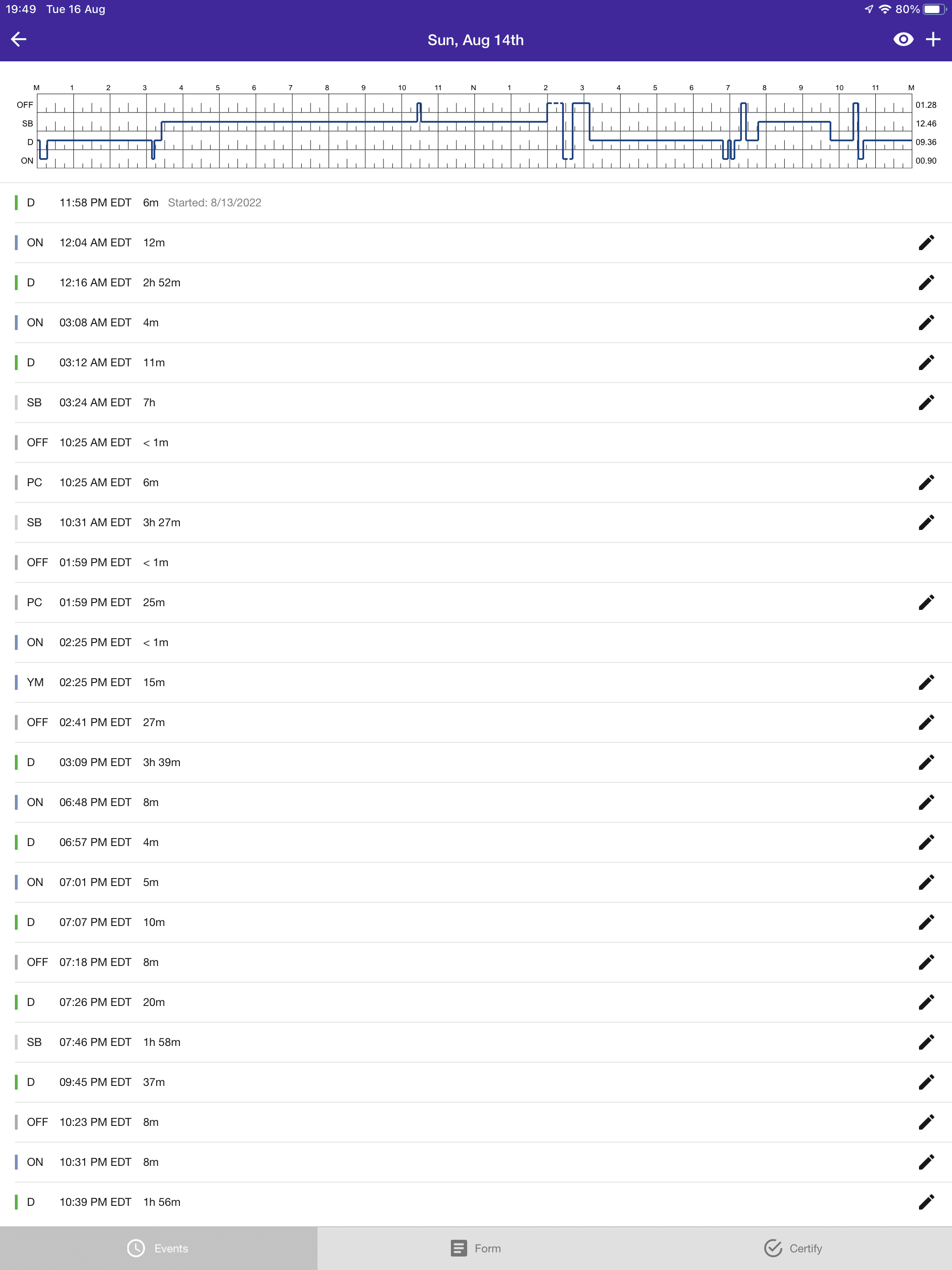
Decoding the 24-Hour Graph Grid and Duty Status Lines
Under regulations, drivers record duty status on a standard 24-hour graph grid. The grid divides each day into 15-minute increments across four mandatory lines:
- Line 1 (Off-Duty). Time when the driver is relieved from all work responsibilities and free to leave the vehicle.
- Line 2 (Sleeper Berth). Rest periods spent inside a qualified sleeper berth compartment.
- Line 3 (Driving). Time spent operating a commercial motor vehicle on a public highway.
- Line 4 (On-Duty Not Driving). Time spent performing work tasks other than driving.
Line 4 errors frequently lead to audit penalties. Auditors check Line 4 logs against time-stamped records like fuel receipts, bill of lading documentation, and scale tickets. Common non-driving tasks requiring Line 4 logging include pre-trip or post-trip DVIR inspections, fueling at truck stops, waiting at shipper or receiver loading docks, and performing equipment repairs.
Tracking standard duty lines accurately ensures baseline compliance, but complex dispatches often require applying specialized driving categories allowed under federal law.
Automated Status Calculations for Special Driving Rules
Regulations allow drivers to use specialized driving categories, but calculating these shifts manually increases the risk of math errors and form violations. Automated logging software manages these rules directly, applying correct limits while keeping logs compliant:
- Personal conveyance. Off-duty driving time permitted for personal transportation during non-work hours, capped at a maximum of 75 kilometers per calendar day. The app tracks off-duty distance while reducing GPS precision to an approximate 16-kilometer (10-mile) radius to protect driver location privacy.
- Yard move. An on-duty, non-driving status for moving equipment within a terminal, port, or customer facility without recording highway drive time.
- Split-sleeper berth. Shifts that divide mandatory rest between a sleeper berth and off-duty time. The app calculates available driving hours dynamically when using split rest periods to maintain compliance.
- Adverse driving conditions. An extension that grants up to two additional driving hours during unexpected severe weather or unusual traffic delays.
Automating these specialized shift calculations reduces manual tracking errors, helping independent owner-operators and fleet drivers maximize allowable drive time within legal boundaries. Beyond managing duty status shifts, drivers must also satisfy daily vehicle safety verification rules before pulling onto public highways.
DVIR Inspection Workflows and Compliance Steps
National Safety Code (NSC) Standard 13 requires drivers to inspect commercial motor vehicles daily. Conducting thorough inspection routines prevents mechanical breakdowns on freight routes and maintains legal compliance.
Drivers must complete two distinct inspection reports during operational shifts: pre-trip inspections performed before driving and post-trip DVIRs completed at the end of the day.
Modern logging applications simplify the inspection workflow into four structured steps:
- Select the vehicle and trailer. Choose the assigned truck unit and trailer number within the mobile application interface.
- Conduct a physical walkaround. Inspect critical safety components, checking air lines, tire tread depth, brake pads, lights, and emergency equipment.
- Record safety status. Flag specific defects within the app’s predefined checklist if repairs are needed, or mark the vehicle as safe to operate.
- Sign and submit. Apply a digital signature to finalize the DVIR, transmitting the report to the fleet management portal.
When a driver logs a safety defect, mechanics must repair the issue and sign off on the report before the vehicle returns to service. The next driver operating the vehicle must review and acknowledge the signed repair record prior to departure. Satisfying daily terminal inspection routines clears the truck for transit across provincial and international boundaries, where automated distance tracking becomes active.

IFTA Border Crossings and Distance Tracking
Motor carriers operating qualified commercial vehicles across provincial boundaries or international borders must report fuel use and distance under the International Fuel Tax Agreement (IFTA). Manual distance logging creates heavy paperwork burdens and leads to expensive reporting errors during tax audits.
Standard IFTA tracking requires recording total distance traveled in each province or U.S. state, total fuel purchased within each tax jurisdiction, and vehicle identification numbers.
Engine-connected gateways facilitate tax reporting by recording distance automatically. The gateway combines ECM odometer readings with continuous GPS location data, detecting jurisdiction border crossings in real time.
Automating distance calculations provides key operational advantages:
- Accurate distance allocation. Prevents math errors by logging exact route distances per jurisdiction.
- Eliminated paper trip sheets. Removes the need for drivers to record odometer numbers at provincial or state borders.
- Streamlined audit reporting. Generates clean, exportable distance reports inside the fleet management portal for quarterly tax filings.
Automating individual distance allocations simplifies regional routes, but multi-driver operations require additional administrative protocols when sharing a cab on long-distance hauls.
Co-Driver and Team Driving Log Management
Team driving operations allow fleets to keep freight moving continuously while remaining compliant with mandatory rest requirements. Managing duty status records for two drivers sharing a single cab requires clear log switching procedures.
Regulations under Commercial Vehicle Drivers Hours of Service Regulations require separate, individual logging accounts for each co-driver. Sharing a single user profile or logging into an app under another driver’s credentials violates safety law.
Mobile logging applications handle team driving setups through a secure co-driver interface:
- Dual account login. Both drivers log into the mobile application on the same tablet using individual login credentials.
- Active driver assignment. The driver currently behind the wheel selects their profile as the active driver. The mobile app automatically assigns Line 3 driving time to that specific profile when vehicle motion is detected.
- Co-driver status assignment. The passenger driver assigns their status to Line 1 (Off-Duty), Line 2 (Sleeper Berth), or Line 4 (On-Duty Not Driving) depending on current activity.
- One-tap driver switching. When drivers switch roles, they select the account switch option within the app interface to change the active driver designation before starting to drive.
Proper team log management keeps individual driving histories accurate during continuous dispatches. Whether running solo or in teams, maintaining uncorrupted records depends heavily on how logging hardware handles physical cellular dead zones along remote freight corridors.

Keeping Logs Intact During Cellular Signal Dropouts
Commercial routes often cross remote regions where cellular coverage drops. A reliable logging app must handle signal loss smoothly so drivers maintain accurate logs without interruptions.
When cellular service drops, connected hardware continues recording engine activity. Professional logging software stores duty status updates directly on internal mobile device storage. Once the vehicle re-enters a coverage zone, the app syncs stored records automatically with the cloud database.
Unoptimized applications without reliable offline storage can freeze or drop data blocks in dead zones. These glitches force drivers to make manual log corrections or explain missing time blocks during inspections. Local data storage protects records during signal loss, providing a complete RODS regardless of cell tower availability. Preserving continuous log continuity ensures drivers approach scale house enforcement stops with complete confidence.
Clearing Roadside Checkpoints Without Stress
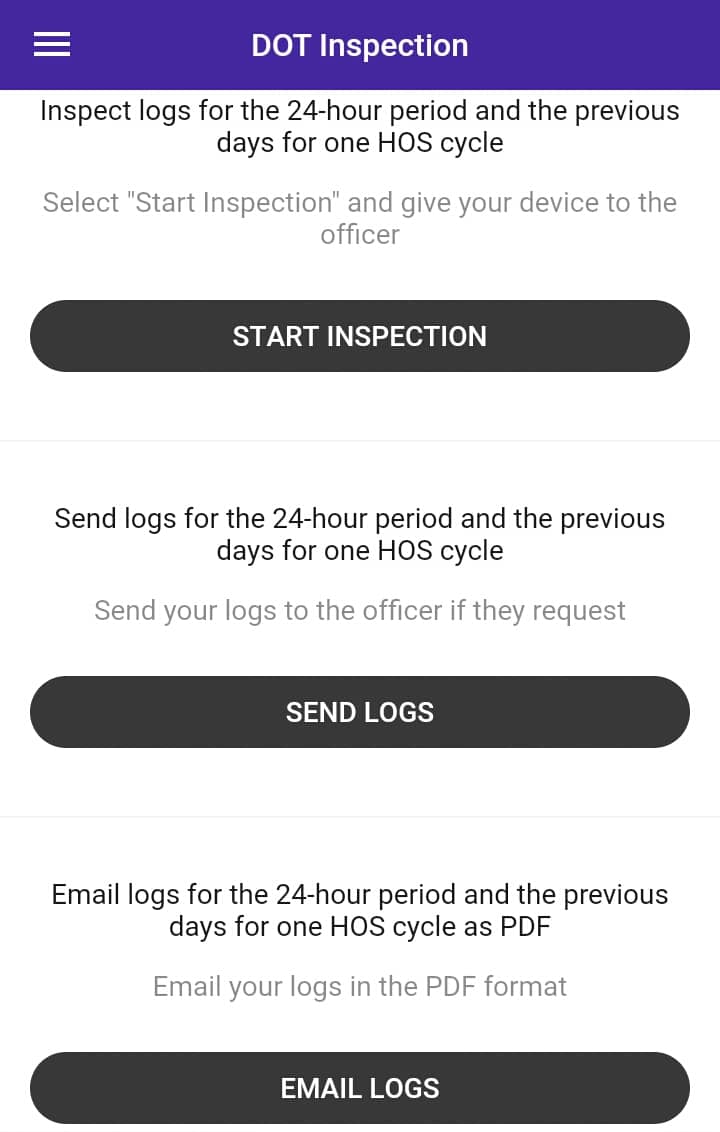
Roadside safety inspections require fast, transparent access to driver duty records. Modern logging applications include a dedicated Inspection Mode to simplify this process and protect driver privacy.
When activated, Inspection Mode locks the mobile application to show only official duty logs. Personal messages, photos, and non-work files remain completely hidden from view. Enforcement officers can easily review the current day graph grid along with logs from the previous 14 consecutive days (15 days total). Drivers can transmit these records directly to the inspector using secure transfer protocols built into the software.
If local cellular traffic prevents wireless file transfer, drivers can present the clean 24-hour visual graph screen directly on the tablet or phone. Regulations recognize on-screen log displays as a valid presentation method, allowing drivers to complete checkpoints efficiently without unexpected delays. Addressing specific operational scenarios during or after inspections often brings up distinct compliance questions.

Achieving Fleet Compliance and Profitability
Navigating federal logging regulations requires a clear understanding of duty status rules, vehicle exemptions, and hardware requirements. Choosing an electronic logging system based on app stability, transparent pricing, and integrated compliance features protects carrier capital far better than selecting tools based on low upfront costs alone. Unstable applications cause data gaps, lost dispatch time, and unnecessary audit risks.
Equipping commercial motor carriers with straightforward, contract-free logging and emissions tools simplifies daily administrative work. Automated shift calculations, local offline data storage, and integrated CARB reporting allow drivers to focus on running routes safely. Motor carriers adhere to truck driver log book rules, cut paperwork, avoid out-of-service orders, and keep trucks running productively by pairing reliable engine hardware with driver-focused software.

As an expert in B2B and B2C sales, I’ve dedicated myself to perfecting sales processes and client retention strategies in the logistics and trucking industry. I have significantly contributed to the expansion of the ELD service, catering to retail and wholesale clients in need of HOS247 ELD solutions. My unwavering commitment to implementing state-of-the-art sales techniques and technologies ensures the continuous growth and success of businesses I work with.








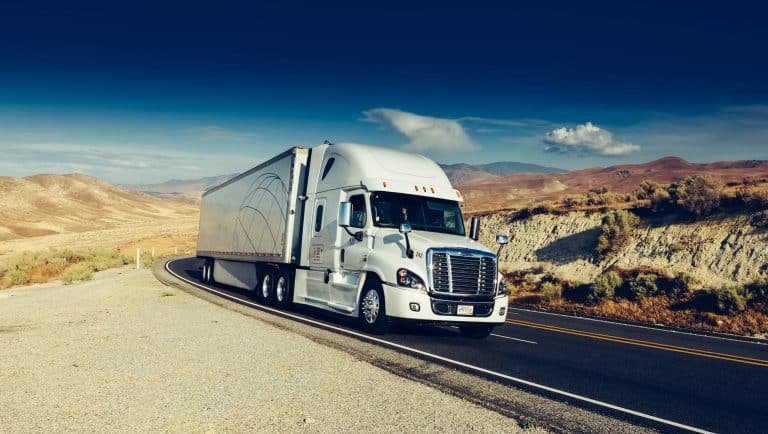
In order to comply with ELD regulations, fleet managers and owner-operators need to do their due diligence before the mandate is in full effect. If you are looking for a dependable truck log book for sale, it is important to
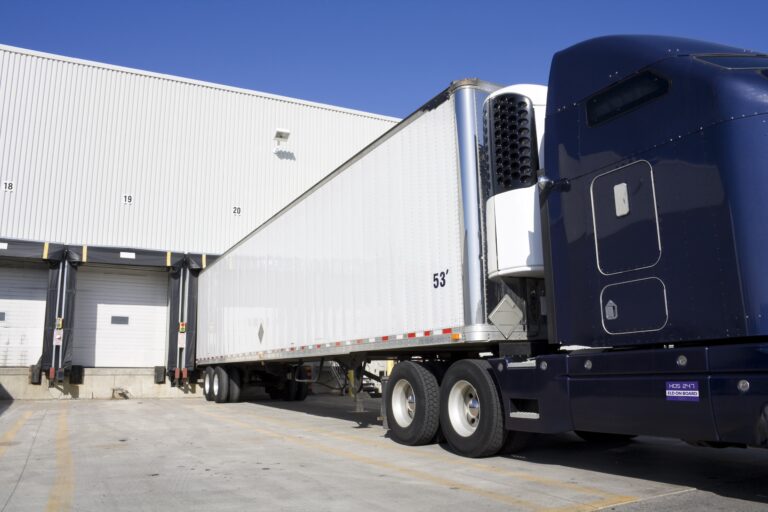
Since Transport Canada’s electronic logging device (ELD) mandate took effect, many local drivers have found themselves navigating a system designed primarily with long-haul operations in mind. Created to enforce hours of service (HOS) rules more accurately, the mandate requires most

For Canadian trucking companies, managing a fleet of vehicles is more challenging than ever. It’s not just about keeping trucks on the road anymore. Today, it’s about using the right mix of vehicles, drivers, technology, and information to get the