
Hardware Synchronization and Diagnostic Port Connectivity
The physical link between the commercial motor vehicle and the Android operating system serves as the foundation for modern fleet tracking. Mobile software relies entirely on the stability of the hardware gateway to extract unalterable vehicle telematics in real time.
Establishing the Physical Port Connection
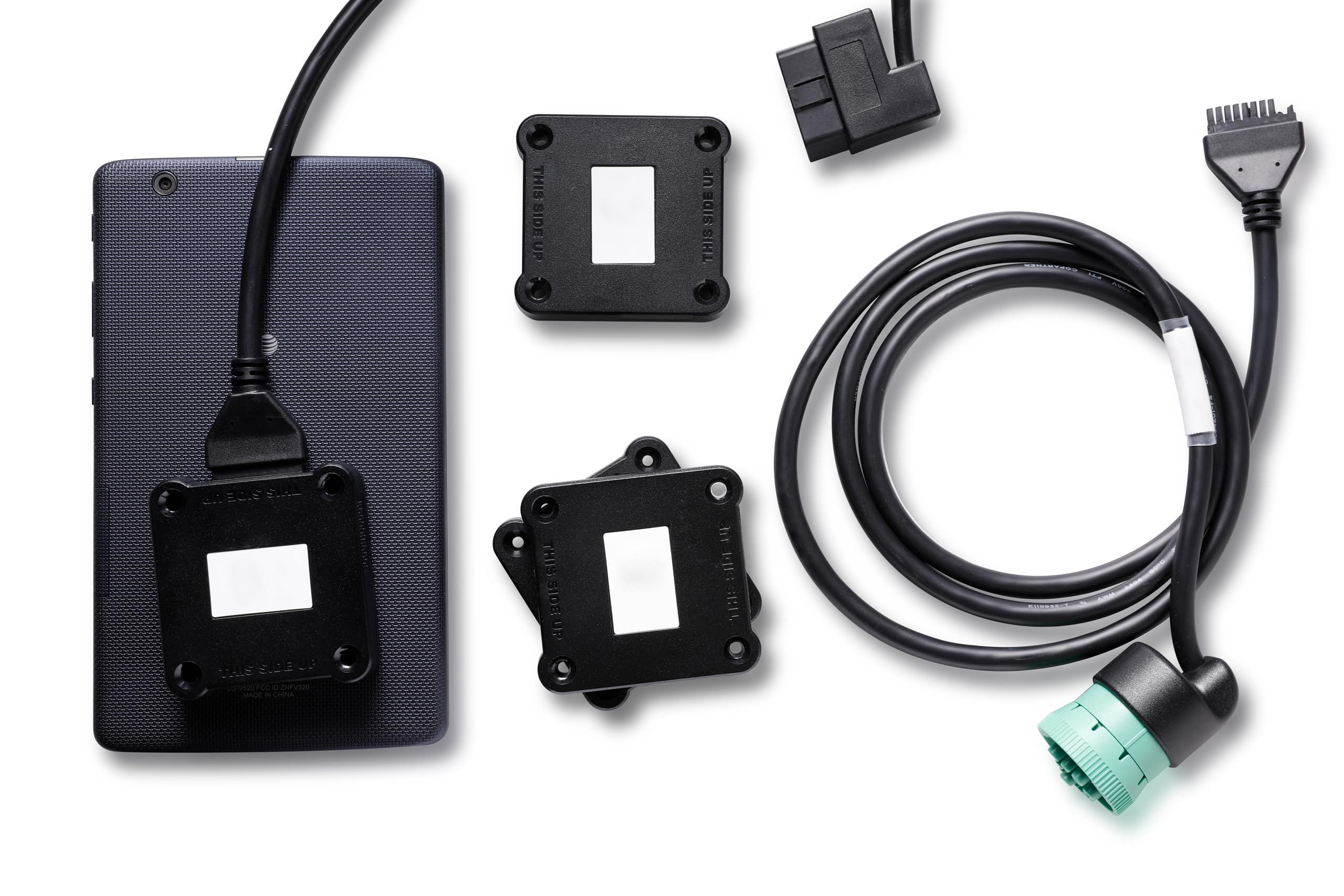
Before any data can transfer to an Android display, the hardware adapter must securely attach to the vehicle’s diagnostic interface. Depending on the class and manufacturer of the commercial vehicle, this physical interface varies:
- Deutsch 9-pin (J1939). The standard diagnostic interface found in almost all modern heavy-duty commercial vehicles.
- Deutsch 6-pin (J1708). An older standard interface common in heavy-duty trucks manufactured between the early 1990s and the mid-2000s.
- OBDII port. The standard interface utilized by medium-duty trucks, passenger vans, and light commercial fleet vehicles.
Fleet managers must inventory their vehicles to ensure they order the matching cable harnesses. Forcing a connection or using unapproved third-party splitters can compromise the physical interface, disrupt the vehicle’s data bus, and create immediate logging gaps.
Bluetooth vs. Wired Data Pass-Through
Once the hardware gateway reads the engine data, it must pass that information to the in-cab Android device. This pass-through occurs via two primary methods:
- Wireless Bluetooth communication. The hardware gateway broadcasts an encrypted Bluetooth signal to pair with the operator’s smartphone or tablet. While highly flexible and eliminating cab clutter, drivers must keep Bluetooth active and avoid pairing conflicting consumer electronics, like personal wireless headsets, which can drop the connection.
- Direct wired connection. A physical data cable runs directly from the diagnostic gateway adapter into the Android device’s charging port. This approach provides a high level of connection stability and eliminates wireless interference, though it restricts device mobility and requires specific adapters.
Monitoring Continuous Data Streams
The moment the vehicle ignition turns over, the hardware adapter establishes a continuous data loop with the Android application. The system constantly monitors the vehicle network for changes in speed, odometer readings, engine hours, and power status.
If a driver attempts to disconnect the hardware gateway mid-trip, the Android application instantly flags the interruption, records a diagnostic malfunction event, and switches to an unassigned driving period. This automated safeguards infrastructure ensures that the motor carrier remains fully compliant with data integrity standards during safety reviews.
Performance Metrics: Avoiding Unreliable Apps
Commercial drivers require tools that support their daily delivery schedules rather than complicating them with technical maintenance. Evaluating an android logbook involves looking closely at performance metrics such as processing speed, battery consumption, and user interface responsiveness under continuous professional use.
Identifying Speed and User Interface Red Flags
Software that lags during basic duty status changes represents an immediate operational risk. A major complaint among commercial operators using sub-standard applications is interface freezing, particularly when attempting to switch from “Driving” to “On-Duty” or when certifying logs at the end of a shift.
If the user interface responds sluggishly, it often indicates that the application is bloated with inefficient code or is attempting to execute too many background processes simultaneously. A professional application should navigate smoothly between menus, requiring minimal screen taps from the driver to complete routine recording tasks.
Excessive battery drain and overheating are additional red flags that point to poorly optimized mobile software. An application that constantly forces the device’s processor to run at maximum capacity can degrade mobile hardware quickly and cause tablets or smartphones to shut down unexpectedly during transit.
The Necessity of Offline Syncing
Commercial routes routinely take drivers through remote rural areas, mountain passes, and industrial zones where cellular coverage is weak or completely non-existent. A high-quality android logbook app must be engineered with a local database architecture to handle these geographic communication gaps seamlessly.
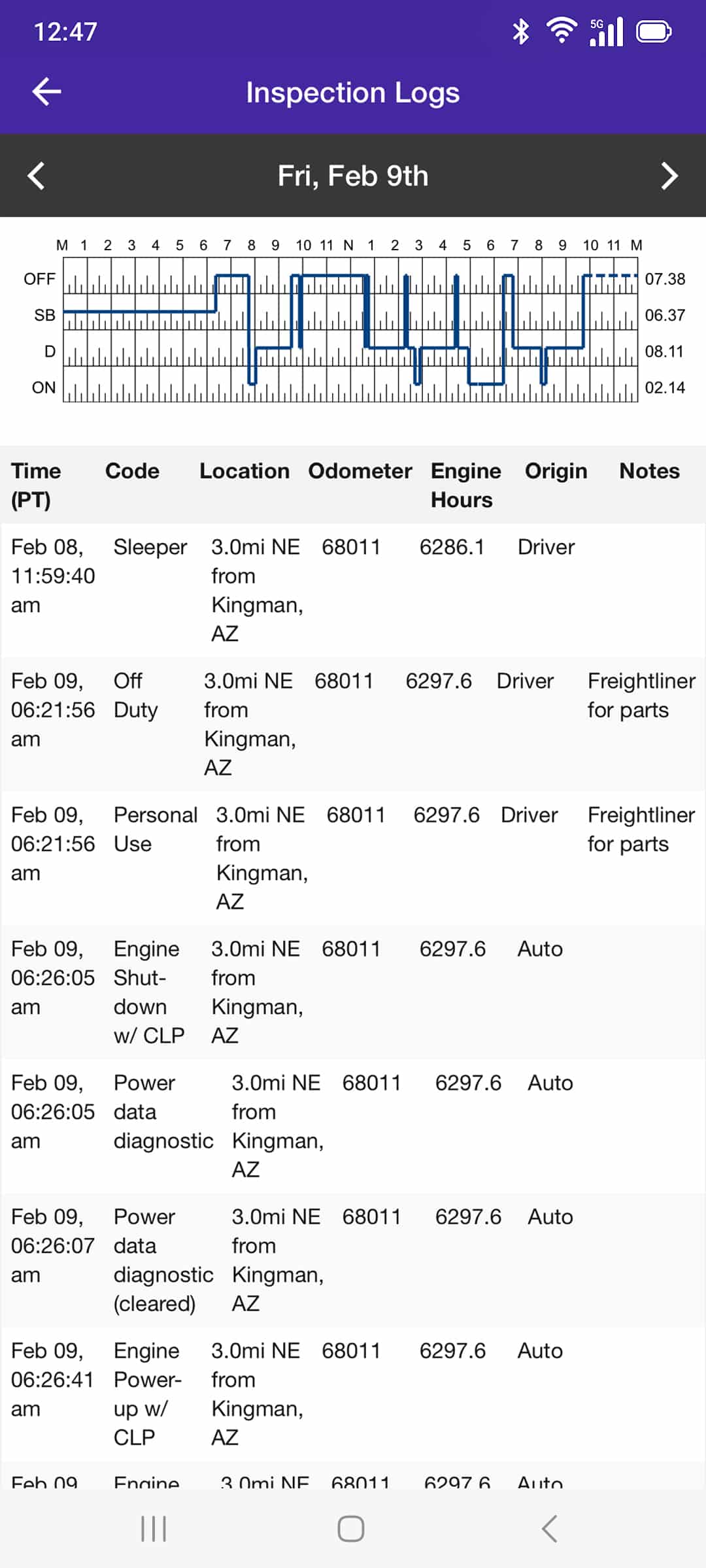
The software must continue to capture engine data, log duty status modifications, and track elapsed time locally on the mobile device even when a cellular network signal is completely lost. The system must operate with full autonomy in an offline state:
- Local data caching. All critical data packets pulled from the engine module are securely stored on the local storage of the Android tablet or phone.
- Instant background syncing. The application continuously monitors network availability and initiates an encrypted cloud sync immediately once a stable cellular data connection returns.
- Uninterrupted driver access. The driver must retain the ability to view, edit, and display their current 14-day logging history to enforcement officers even while operating entirely offline.
An architecture that relies on a constant cellular connection to function will fail during extended dead zones, leading to data corruption and potential hours-of-service violations during roadside checks. Reliable platforms make this background synchronization entirely invisible to the operator, ensuring that compliance records remain accurate and intact regardless of local network infrastructure.
Identifying Low-Quality ELD Apps
Selecting a logging system solely based on an attractive price point or high visibility in an app store can expose a motor carrier to severe operational vulnerabilities. Many cut-rate tracking solutions function as superficial software overlays rather than compliant telematics platforms.
Fleet managers can protect their operating authority by watching for several low-quality indicators:
- Hidden contract lock-ins. Providers may offer a low-cost or free hardware dongle upfront but obscure rigid, multi-year service contracts in the fine print.
- Infrequent software updates. A lack of regular maintenance and development on the Google Play Store indicates a platform that may not adapt to evolving operating system security requirements.
- Bot-only technical support. Inadequate customer service structures that rely on automated chat systems leave drivers stranded without human assistance during critical roadside checks.
- Obscured inspection modes. Systems that lack an explicit, easily accessible roadside transfer interface complicate data transmission during a safety audit.
Relying on low-tier applications frequently results in unoptimized code that drops connections, corrupts driving files, or fails to export compliance data upon request. Investing in a verified logbook application for android ensures that the underlying software receives the continuous technical engineering necessary to remain dependable over long hauls.
Advanced Features for the Data-Driven Fleet
A high-quality mobile logging system can do much more than simply fulfill an administrative mandate. When a software platform integrates deeply with the vehicle engine, it transforms basic compliance data into actionable fleet intelligence that helps carriers lower operating expenses and maximize equipment lifespan.
Beyond Hours of Service: Idle Monitoring and Preventative Maintenance
Advanced logging platforms track critical mechanical metrics in real time. This automated oversight provides fleet managers with immediate visibility into vehicle health and driver habits without requiring manual maintenance logs.
Integrating advanced telemetry into daily operations provides several strategic advantages:
- Fuel savings through idle monitoring. The software tracks exactly how long an engine runs while the vehicle is stationary, allowing fleets to identify excessive idling and significantly reduce fuel waste.
- Proactive preventative maintenance. The system monitors real-time Diagnostic Trouble Codes (DTCs) from the engine computer, instantly alerting the maintenance shop to minor mechanical issues before they develop into expensive roadside breakdowns.
- Extended exhaust system longevity. Reducing unnecessary engine idling protects complex Diesel Particulate Filter (DPF) systems from premature soot buildup, lowering overall repair overhead.
By tracking these integrated insights, expanding carriers can shift from a reactive maintenance model to a proactive operational strategy. Automated data capture allows management teams to protect their physical assets, extend the service life of their trucks, and eliminate the administrative friction that typically bogs down growing operations.

The Regulatory Landscape: Navigating Device Revocations
Transport Canada actively monitors the technical performance of registered tracking platforms through accredited third-party certification bodies, which can remove non-compliant devices from the official registry. This ongoing regulatory oversight forces motor carriers to stay vigilant, as utilizing a decertified android logbook app transforms a compliant fleet into a non-compliant operation.
Understanding the Replacement Process
When a certification body identifies a software provider failing to meet baseline data transfer standards or technical specifications, the device’s certification is officially revoked. Following a revocation announcement, impacted motor carriers must transition to a compliant system.
Unlike frameworks with a standard 60-day replacement window, Canadian provincial enforcement authorities issue specific bulletins outlining the allowed transition period for a revoked device. During this designated grace period, drivers must discontinue using the decertified system and revert to standard paper logbooks to track daily hours of service. If a fleet fails to install a certified replacement device before the designated deadline expires, enforcement officers will cite drivers for operating without a valid record of duty status.
Additionally, standard malfunction rules dictate that if an active device breaks or fails to connect, the driver has a maximum of 14 days to utilize paper logs while the carrier repairs or replaces the unit. To avoid these costly operational disruptions, fleet administrators must proactively verify their chosen platform against the official Transport Canada List of Electronic Logging Devices regularly, ensuring their technology remains fully authorized for highway use.
Why HOS247 Is the Stable Choice for Android Users
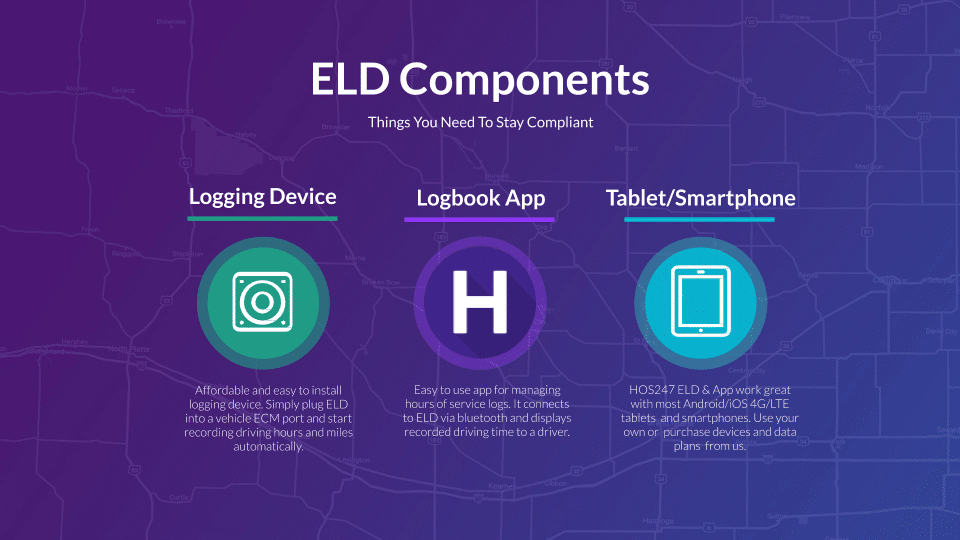
Scaling a commercial delivery operation requires technology that supports fleet growth without introducing technical liabilities. HOS247 engineers a comprehensive logging platform that provides the balance of rugged hardware and intuitive software, allowing owner-operators and fleets to scale without the fear of sudden regulatory revocations.
Proven Reliability and Driver-Centric Support
By aligning advanced telematics with a user-friendly mobile interface, HOS247 delivers an android based logbook application designed specifically for high-stress commercial environments.
Integrating the HOS247 system provides carriers with distinct operational advantages:
- Proprietary hardware synergy. The engine control modules are stress-tested to pair instantly with the mobile application, eliminating connection delays and ensuring zero data gaps upon startup.
- No-contract flexibility. Motor carriers retain complete financial control through straightforward monthly plans, avoiding restrictive multi-year lock-ins and hidden administrative fees.
- Top-rated multilingual support. Drivers gain direct access to expert technical assistance available seven days a week in English, Spanish, Russian, and Polish, ensuring rapid issue resolution during active transit.
- High driver ratings. The application features a clean, highly intuitive user interface consistently rated as top-tier by professional drivers on the road.
- Full third-party certification. The complete hardware and software architecture is rigorously tested and registered under Technical Standard 1.3, surviving ongoing evaluation cycles without issue.
Investing in a verified, high-performance platform removes the guesswork from regulatory management. By deploying reliable Android tracking tools, fleet operators eliminate administrative friction, protect their drivers during roadside inspections, and focus entirely on expanding their freight networks.
Secure Your Fleet’s Future with a Verified Partner
Maintaining administrative compliance across a growing commercial fleet requires an investment in stable technology and vetted engineering. Fleet managers and owner-operators protect their operating authority by deploying systems that remove data gaps and simplify roadside inspections. Choosing a reliable logbook application for android ensures that a company avoids unexpected operational downtime, protects its safety ratings, and maintains a clean regulatory profile.
High-quality telematics platforms eliminate the common frustrations associated with glitchy connectivity and rigid, expensive vendor contracts. By establishing an instantaneous connection between the vehicle diagnostic port and the driver’s in-cab application, carriers remove the risk of unassigned driving time and data collection failures. Managing records through an integrated system allows dispatch teams to optimize their routes, track vehicle maintenance, and keep freight moving smoothly.
Investing in a dependable logging partner is an investment in long-term operational health and daily peace of mind. Stop fighting with unoptimized technology that complicates business and compromises compliance standing during safety check audits. Contact HOS247 today to schedule an interactive system demo or start a no-contract trial to experience the stable connection the fleet deserves.

As an expert in B2B and B2C sales, I’ve dedicated myself to perfecting sales processes and client retention strategies in the logistics and trucking industry. I have significantly contributed to the expansion of the ELD service, catering to retail and wholesale clients in need of HOS247 ELD solutions. My unwavering commitment to implementing state-of-the-art sales techniques and technologies ensures the continuous growth and success of businesses I work with.









The ELD mandate states that all commercial motor vehicle drivers will be required to keep records of their duty status using an electronic logbook. This means that drivers will need to adopt electronic logging devices in order to comply with
For most trucking professionals, electronic logging devices (ELDs) are now standard equipment in the cab. These systems go far beyond simple hour-tracking tools. They serve as comprehensive compliance solutions that connect directly to a vehicle’s engine control module (ECM), automatically
Since Transport Canada’s electronic logging device (ELD) mandate took effect, many local drivers have found themselves navigating a system designed primarily with long-haul operations in mind. Created to enforce hours of service (HOS) rules more accurately, the mandate requires most