
Logbook Apps and FMCSA Compliance
Truck driving log apps are only compliant with Federal Motor Carrier Safety Administration (FMCSA) rules when they are part of a registered electronic logging device (ELD) system that fulfills all the requirements established by the authorities. It’s the carrier’s responsibility to be sure they have a DOT approved log book and device. In order to help carriers, the FMCSA keeps a list of all active log book manufacturers and registered devices that can be consulted on their website. Carriers can also sign up to receive updates on registered and revoked devices through email.
Staying on top of this list is important because it protects your trucking business from getting hit with unexpected fines. The FMCSA list is like a safety net that keeps you from using an app that regulators do not accept or hardware that has been taken off the market. Since the responsibility falls on the carrier, checking the status of your log book company ensures DOT inspectors will accept your logs at the scale house, saving you from costly violations and keeping your safety scores clean.
Drivers Required to Use ELDs
According to the FMCSA’s ELD mandate, drivers who are required to maintain RODS must use an ELD. This includes drivers who:
- Operate a vehicle that weighs 10,001 pounds or more.
- Transport 16 or more passengers (including the driver).
- Transport 9 or more passengers (including the driver) for compensation.
- Transport hazardous materials in quantities that require a placard.
There are some exceptions to the ELD mandate, such as:
- Drivers who use RODS for no more than 8 days out of every 30-day period.
- Driveaway-towaway operations where the vehicle is the commodity being delivered.
- Drivers of vehicles manufactured before 2000.
It is important to take into account that, even if a driver is exempt from the ELD mandate, they may still be required to maintain paper RODS. Keeping a backup paper logbook becomes a legal requirement the moment an exempt driver goes over these rules. For example, if a short-haul driver runs into an unexpected delay and has to keep a log more than eight times in a single month, they have to start using regular logs right away. Having a paper book or an easy log app ready means you can switch over and stay compliant without any issues if your route changes on you.

Managing Automated Duty Status Changes
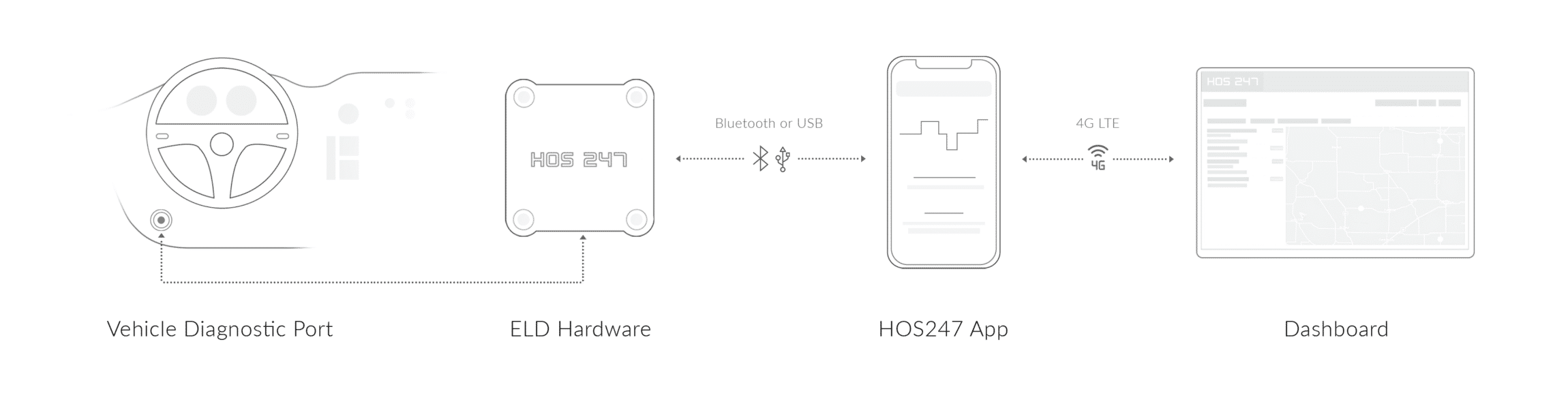
A reliable log app connects right to your truck’s engine to track your time accurately. By changing your duty status automatically, the software takes away the guesswork and keeps you from making simple logging mistakes.
How the App Tracks Movement
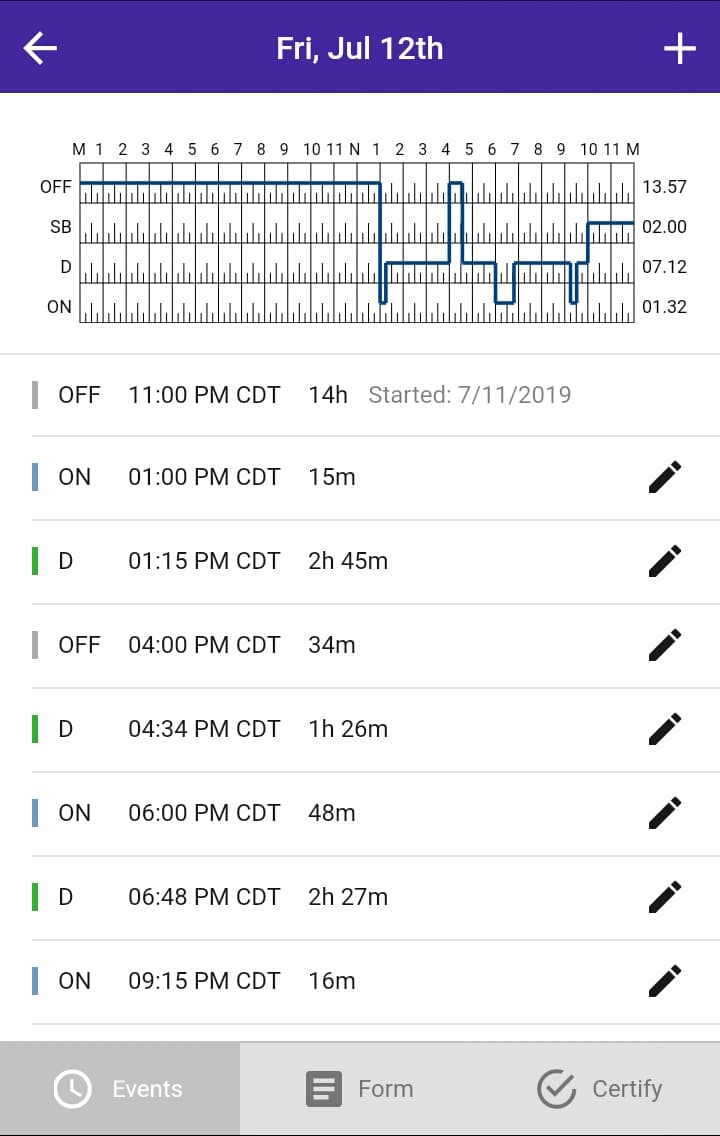
The app works with the engine hardware to check your vehicle’s speed while you are working. The DOT has a strict rule that says the truck is moving once it hits 5 mph. The moment your truck reaches that speed, the engine hardware tells the app, and the software automatically switches your log to “Driving.” You do not have to tap anything on your screen, which ensures your actual driving time is always recorded perfectly.
How the App Tracks Stationary Time
When you bring the truck to a stop and stay there for a bit — like at a long traffic light, a busy fuel lane, or a drop yard — the app keeps an eye on the clock. If the truck does not move for five minutes, the app will pop up an alert and make a sound to ask if you want to switch your status to “On-Duty Not-Driving” or “Off-Duty.” If you do not answer the prompt, the app will switch you to “On-Duty” on its own. This keeps your logs correct and means you have far less log editing to do at the end of your shift.
Having the app change your status automatically cuts down on common form and manner violations. It gives you the peace of mind that your logs are clean and ready whenever an inspector asks to see them.
Switching to a Better Driving Log App
There are several reasons why a carrier might consider switching to a better app for driving logs. If you are experiencing issues with your current provider, you might need to consider:
- Overly complicated system. If your current system is difficult to use or causes unnecessary stress, it may be time to look for a more user-friendly option. A good ELD app should simplify the process of logging hours and managing compliance, not make it more complicated.
- Inefficient customer support. Poor customer support can be a huge inconvenience for everyone involved. It’s essential to have reliable support in case your truck experiences technical issues and breaks down. Without a dependable support team, your drivers may find themselves stranded without help.
- Unreasonable subscription cost considerations. If you’re paying a lot for your log book app, you might be overpaying for a system that doesn’t meet your needs or provide adequate support. It’s important to ensure you’re getting good value for your money.
- Negative provider operational history and reputation. The marketplace experience of your log book app provider is crucial. Providers that have been around longer and have a good track record are usually more reliable and knowledgeable than newer providers who might lack experience and trustworthiness.
Constant app crashes and slow screens are often the main reasons drivers decide to make a change. When an app keeps freezing or losing its connection to the truck, it forces drivers to look for something better. A bad app that quits working during a run creates extra paperwork and puts your safety record at risk. Moving to a stable system helps you avoid these headaches so your trucks can keep moving.

Choosing the Right Electronic Logbook
When choosing the right driving app, there are a few things to consider to make the best decision for yourself, your drivers, and your fleet.
- Easy to use. The right logbook app should be simple to use. It should not overcomplicate your daily tasks but instead make them more manageable. The perfect logbook app will be intuitive and help streamline your daily operations. Having a simple screen saves a lot of stress when you are sitting at a busy shipping terminal or trying to get through a random safety check.
- Excellent support. A great app comes with excellent support. Drivers need to be able to contact support at all times while on the road, especially in case of technical issues or emergencies. Dependable providers will have an easy to reach knowledgeable team of support reps to minimize downtime.
- Positive user reviews. Before making a final decision, check recent user reviews. Reading reviews is an effective way to ensure you’re making the best choice. User reviews are easily accessible online and can provide valuable insights into the app’s performance and reliability.
- Scalability. Consider whether the app can scale with your business. As your fleet grows, the logbook app should accommodate additional vehicles and drivers without significant changes or upgrades. Scalable solutions help avoid the need for switching providers as your business expands, ensuring long-term consistency and efficiency.
- Compatibility. Ensure the logbook app is compatible with your existing hardware and software systems. The app should integrate seamlessly with various devices and operating systems, including smartphones, tablets, and onboard vehicle hardware. Compatibility with other fleet management tools and software you use can also streamline operations and reduce the need for manual data entry.
- Compliance with regulations. The chosen driving log app must comply with FMCSA regulations and other relevant federal and state requirements. Verify that the app is part of a registered ELD system and can generate accurate and compliant reports. The app should also have features to alert drivers and managers about potential HOS violations, ensuring proactive compliance.
By carefully considering these factors, you can choose the right electronic logbook app that best suits your needs and helps your fleet operate more efficiently.
Local Synchronization in Cellular Dead Zones
One big worry for truckers is losing cell service while out on remote routes. A good log app needs to handle dead zones without dropping your records or messing up your hours for the day.
Storage and Forward Telemetry
When you drive through a rural area with no cell signal, the app does not stop working. The hardware plugged into your truck’s engine has its own built-in memory chips. It keeps tracking your speed, miles, and engine hours quietly on its own, saving all your log information directly on the device while you focus on driving.
Seamless Re-connection Protocols
As soon as your truck gets back into a cell service zone, the hardware talks to your phone app right away over Bluetooth. It pushes all the saved data back to your screen and updates your online portal automatically. You do not have to reset anything, restart the app, or reconnect the cables yourself.
This automatic background saving means your logs stay updated and complete no matter where you drive. You can roll into any scale house along your route knowing your records are current and ready for inspection at a moment’s notice.
Red Flags
When considering new providers, it is not enough to look for the qualities mentioned above, there are also some things to be wary of, including:
- Proprietary hardware. Some providers sell their own proprietary hardware, which can be very costly for drivers who purchase it. This can add unnecessary expenses and complications. Proprietary hardware can also lock you into a specific provider, making it difficult to switch services if you’re not satisfied. These closed hardware systems create a tech silo in your truck, meaning you cannot easily share your fleet data with other software, and you might get hit with big upgrade fees down the road just to keep the equipment working.
- Long contracts. Some providers may require drivers to commit to expensive, long-term contracts. This can be problematic if the driver decides they don’t like the hardware or want to try something new. Long contracts can limit flexibility and make it hard to adapt to changing needs or better technologies that might emerge.
- Little to no experience. Providers who developed their systems within the last year or two may lack experience. They might not offer adequate support and could have more issues. Inexperienced providers may not have had the time to refine their products and services, leading to potential problems with reliability and functionality. It’s usually best to choose more established providers who have a proven track record.
- Hidden fees. Be cautious of hidden fees that some providers may charge. These could include fees for setup, maintenance, or upgrades that are not initially apparent. Ensure you fully understand the pricing structure before committing to a service to avoid unexpected costs.
By carefully considering these factors and being mindful of potential pitfalls, you can choose the right app to log driving time that best suits your needs and helps your fleet operate more efficiently.

Resolving Unidentified Driving Time Records
Sometimes your truck will move when you are not logged into the app. When this happens, the system creates an unassigned driving record that has to be fixed so your logs stay legal and correct.
Identifying Unassigned Vehicle Movements
If a mechanic takes your truck for a test drive, or a yard jockey moves your trailer across the lot, the engine hardware still tracks that movement. Since no driver was logged into the software at that moment, the app flags those miles as “unidentified driving time” the next time you connect your device.
Reviewing and Accepting Log Records
When you log in for your shift, the app will pop up a screen showing you those unassigned miles. You can scroll through the timestamps and look at the matching odometer readings to see if you were actually the one behind the wheel. If you were just moving the truck around the yard, you can click “Accept” to add that time to your log. If someone else was driving the truck, you click “Decline” so it goes back to the fleet manager to assign to the right person.
Taking a few seconds to sort through these unassigned miles keeps your logbook clean. It makes sure that your company stays fully compliant during an office audit and prevents easy compliance points from being dropped.
Benefits of Using HOS247
HOS247 is a leading provider of electronic logbook apps and hardware for the transportation industry. We believe that fair, straightforward pricing is the best way to build a real partnership with carriers. We do not use gimmicks or high-pressure sales pitches; instead, we focus on delivering software that works every day and support that answers the phone when you need help. Here are several key benefits of using HOS247.
Top-Rated Customer Support
With HOS247, drivers have access to reliable support any day of the week in multiple languages, including Spanish and Polish, reducing misunderstandings and resolving issues more efficiently. Our team focuses on customer satisfaction for every client, large or small.
One-Year Hardware Warranty
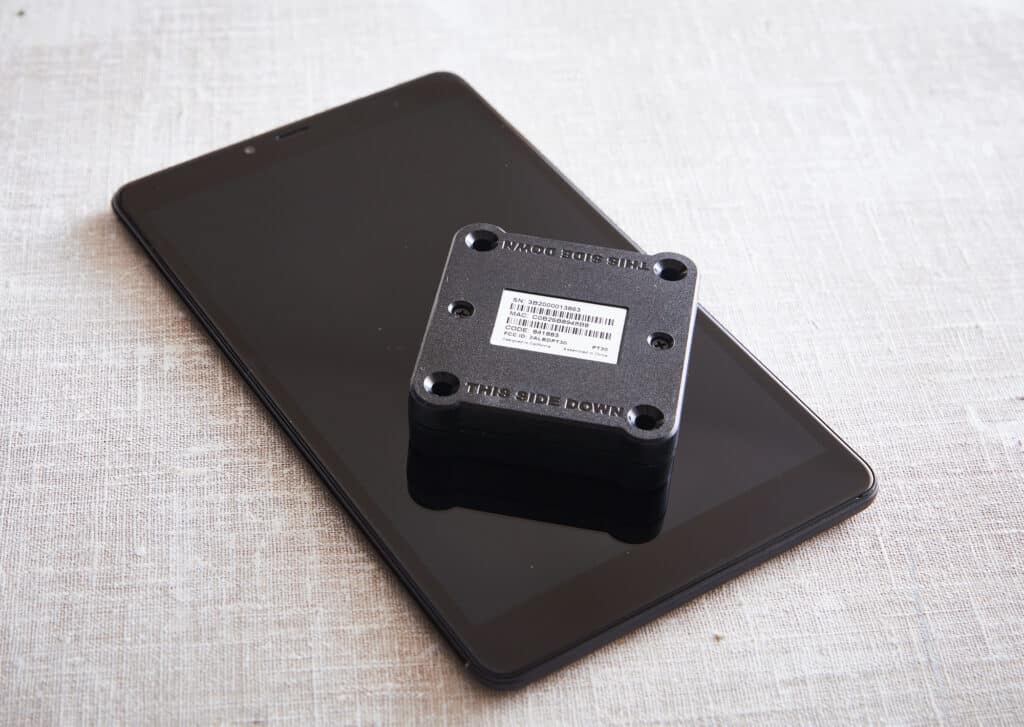
HOS247 guarantees the quality of its hardware and offers a one-year free replacement warranty in the unlikely event of defects and malfunctions. This commitment to quality helps minimize downtime and maintenance issues, ensuring reliable performance in diverse operating environments.
Fleet Tracking and Reporting
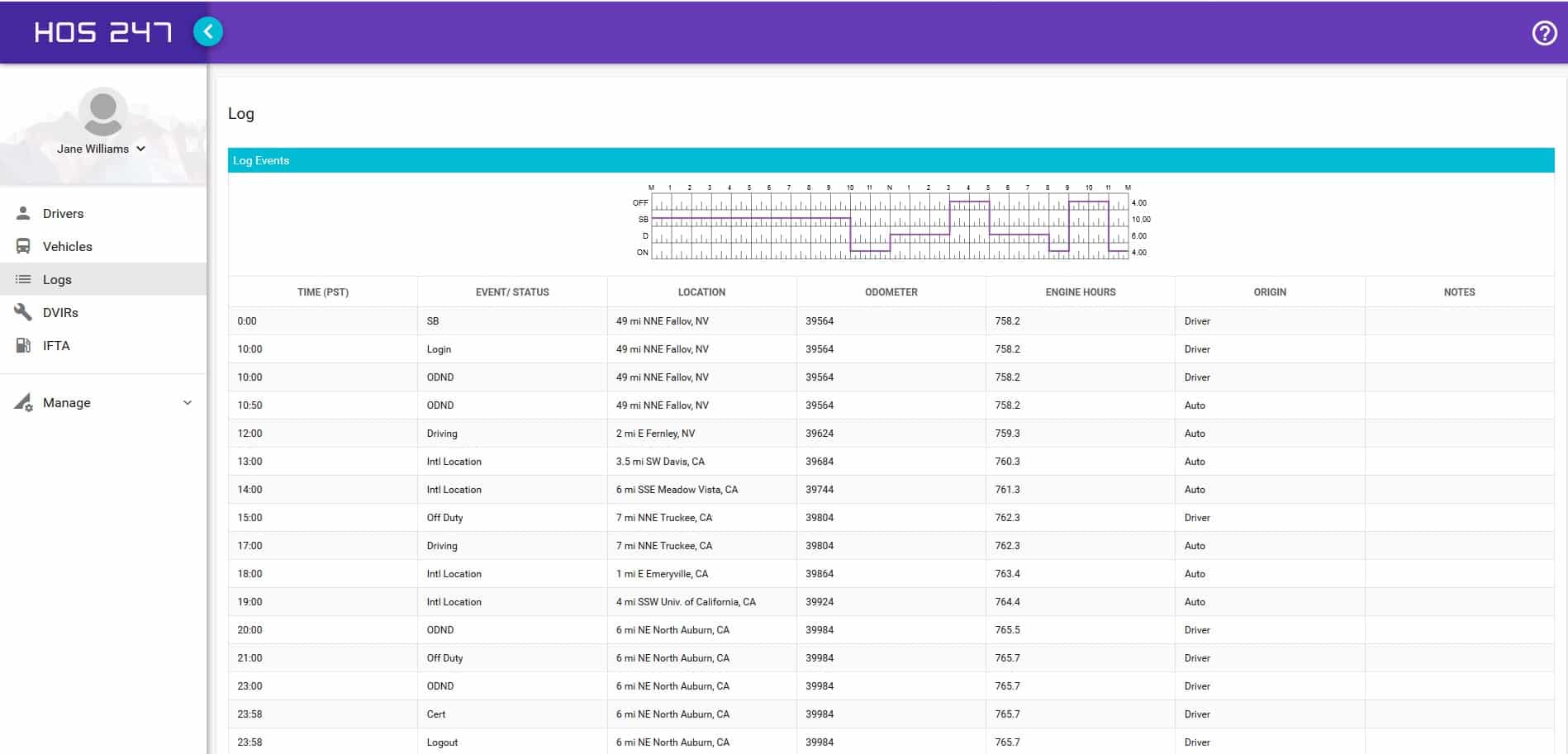
Real-time GPS fleet tracking allows precise monitoring of vehicle locations, helping managers make informed decisions about routes, dispatches, and driver assignments. Detailed reporting tools provide insights into fuel usage, idle times, maintenance needs, and driver behavior, helping fleet managers identify areas for cost reduction and operational improvements.
Automated CARB Emissions Compliance
For fleets operating in California, HOS247 integrates automated Clean Truck Check testing directly into the platform. The CARB-certified hardware performs required OBD scans while the truck idles and transmits the results straight to the state portal. Fleet managers can eliminate in-shop or mobile testing scheduling and can track emissions tests pass/fail statuses in the same platform as daily driving logs.
Flexible Subscription Plans
HOS247 offers flexible and scalable subscription plans tailored to meet the specific needs of any fleet size, from small owner-operator businesses to large enterprises. You can add or remove features like IFTA mileage calculations and GPS tracking, allowing for a customized solution that grows with your business.
Hassle-Free 2-Week Returns
One major benefit of using HOS247 is their hassle-free 2-week return policy. This means you can purchase the logbook hardware, use it for two weeks, and return it for a full refund if it doesn’t meet your needs. This allows you to experience the full range of services before making a final commitment.
No Long-Term Contracts
HOS247 does not require you to sign long, complicated contracts. Many fleet owners find themselves stuck in lengthy contracts with providers that do not fully meet their needs. You can choose to pay monthly or yearly and can cancel at any time.
By choosing HOS247, fleets can improve their operations through enhanced compliance, efficient management, and dedicated support, gaining a competitive edge in the industry.
Practical Tips for Maximizing the Benefits of Driving Log Apps
While having a top-rated driving log app is crucial for compliance and efficiency, knowing how to maximize its benefits can make a significant difference in your day-to-day operations. Here are some practical tips for truckers to get the most out of their driving log apps:
- Regularly update your app. Ensure your log app is always up-to-date. App updates often include important features, bug fixes, and enhancements that can improve performance and compliance. Set your app to update automatically if possible, so you don’t miss out on these benefits.
- Utilize automated alerts. Set up automated alerts for critical events such as approaching HOS limits, required breaks, and upcoming maintenance. These alerts can help you stay compliant and ensure your vehicle remains in optimal condition, reducing the risk of violations and breakdowns.
- Review and analyze reports. Regularly review the detailed reports generated by your log app. Analyze data on fuel usage, idle times, and HOS violations to identify patterns and areas for improvement. Use this information to adjust your driving habits and improve overall efficiency.
- Engage with customer support. Don’t hesitate to reach out to customer support if you encounter any issues or have questions about your log app. Reliable providers like HOS247 offer multilingual support that can assist you in resolving problems quickly, minimizing downtime, and ensuring smooth operation.
- Participate in training and demos. Take advantage of any training sessions, webinars, or free demos offered by your ELD provider. These resources can help you understand all the features of your log app and how to use them effectively, ensuring you get the maximum benefit from the system.
- Keep accurate records. Consistently and accurately record all required information. Double-check your entries for errors to ensure compliance with DOT regulations. Accurate records can also protect you in case of an audit or dispute. Making it a regular routine to approve your logs at the end of every shift prevents a massive backlog from piling up when you finally get home from a long trip.
- Stay informed about regulations. Keep up with any changes in federal and state regulations that may affect your HOS and logging requirements. Being informed will help you stay compliant and avoid potential fines and penalties.
- Leverage integration with other systems. If your log app integrates with other systems like dispatch, payroll, or maintenance management, make sure to utilize these integrations. This can streamline your workflow, reduce manual data entry, and improve overall efficiency.
- Share feedback with your provider. Provide feedback to your ELD provider about your experience with the app. Constructive feedback can lead to improvements and new features that better meet your needs.
Implementing these practices can help you make the most out of your investment and improve your daily operations on the road. Choosing the right driving log app is crucial for ensuring compliance with DOT regulations and enhancing the efficiency of your operations. Whether you are a small owner-operator or manage a large fleet, investing in a robust and reliable driving log app like HOS247 can provide significant advantages and a competitive edge in the transportation industry.
It is advisable to stay informed, utilize the available resources, and always aim for excellence in your fleet management practices. With the right tools and a reliable compliance partner, you can achieve greater success and drive your business forward with confidence.
Frequently Asked Questions About Driving Log Apps
Choosing the Right Roadside Compliance Partner
Choosing the right driving log app is crucial for ensuring compliance with DOT regulations and enhancing the efficiency of your operations. Whether you are a small owner-operator or manage a large fleet, investing in a robust and reliable ELD app like HOS247 can provide significant advantages and a competitive edge in the transportation industry.
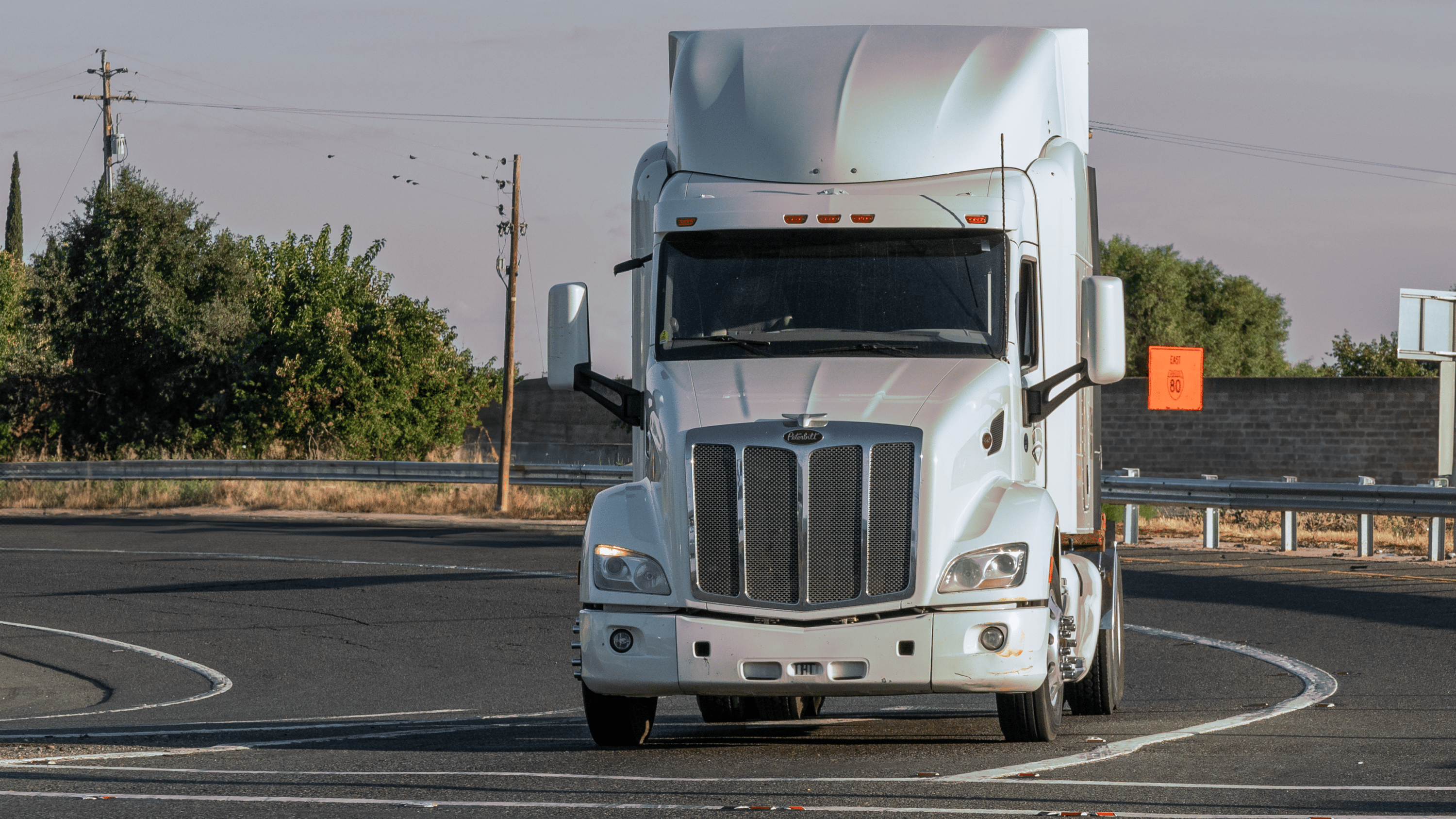
Getting rid of old, slow systems and moving to a flexible mobile setup that works on devices your drivers already know helps you avoid daily compliance headaches and keeps your team happy. When your drivers do not have to fight with a freezing app or worry about data gaps when cell service drops, they can focus entirely on delivering their loads safely and on time.
It is advisable to stay informed, utilize the available resources, and always aim for excellence in your fleet management practices. With the right tools and a reliable compliance partner, you can achieve greater success and drive your business forward with confidence.

I’ve co-founded, built and managed several transportation-related businesses. Now, I’m a founder and CEO of HOS247 – an AI Transportation Platform for trucking companies, freight brokers and other logistics operations. We are transitioning old-style operations to technology-advanced logistics entities and help them to grow their businesses. ELDs (electronic logging devices), fleet tracking and management 2.0 combined with AI-powered dispatch tools.









With the advancement of technology, commercial trailer tracking systems have emerged as powerful tools, enabling motor carriers to optimize their processes and achieve remarkable efficiency and security. By implementing fleet management GPS tracking, businesses can unlock a wide range of

HOS247 is a top-rated, highly trusted company that creates solutions to help drivers meet Federal Motor Carrier Safety Administration (FMCSA) compliance. In addition to offering the best ELD solutions for small fleets, HOS247 offers dedicated support to help keep fleets

Trucking businesses rely on ELD providers to stay DOT compliant. That is why choosing a reputable company with an efficient electronic log book for sale is so important. HOS247 offers an advanced elog solution that is FMCSA compliant, dependable, and