
Real-World Driver Performance Metrics on Android
Evaluating an electronic logbook program for Android must extend far beyond basic regulatory checklists, because driver performance depends directly on how software handles actual operational challenges. Examining live marketplace feedback highlights critical flaws that directly impact daily compliance. When software repeatedly fails under the strain of real-world transit, it fuels driver frustration, forces administrative corrections, and ultimately jeopardizes the carrier’s safety standing.
Offline Input Locking
Poorly optimized applications freeze or refuse to accept manual duty-status changes when a truck travels through remote areas lacking cellular or Wi-Fi reception. A professional electronic logbook app for Android must be built to handle offline operations, ensuring that duty status updates, annotations, and vehicle inspections are recorded instantly on the device and synced to the cloud later when connectivity returns. If an application demands a continuous cell signal just to process basic inputs, drivers will be entirely unable to log accurate records in rural freight corridors.
Forced Update Outages
Nothing disrupts a driver’s schedule quite like software that stops working at the start of a shift. This typically happens when an application forces a mandatory update right when a dispatcher needs the vehicle moving, leaving the driver stranded while a large file slowly downloads over a weak cellular network. Compliance platforms must feature managed updates, giving fleets the flexibility to schedule software refreshes during routine maintenance or off-duty periods rather than during active dispatches.
Aggressive App Caching and Crashes
Weak mobile memory management can cause an Android electronic logbook app to crash and delete uncertified logs the moment a driver switches screens to view a GPS navigation map. The software must be designed to run persistently in the background, preventing the operating system from automatically shutting it down to save memory. This stability protects data integrity, keeping logs active even when a driver runs heavy navigation or communication tools at the same time.
Major Ratings of Android ELD Apps
The table below illustrates how different applications handle the daily realities of truck operation based on user ratings:
Hardware Selection and Physical In-Cab Setup
A functional electronic logbook program for Android requires compatible, durable in-cab hardware. The physical deployment of devices and data connectors directly dictates the longevity of the compliance system, requiring carriers to evaluate mounting options that can withstand continuous road vibrations.
Bring Your Own Device vs. Dedicated Tablets
Carriers generally choose between two main hardware deployment strategies based on fleet size, operational budgets, and management goals:
- Bring your own device (BYOD) configurations. Installing software directly onto personal driver smartphones offers economic flexibility. It reduces upfront hardware costs and simplifies driver onboarding, but introduces variability in device performance, screen sizes, and battery health.
- Dedicated field tablets. Deploying company-issued tablets provides uniform management. Fleet administrators can lock down the operating system, restrict non-essential applications, standardize troubleshooting, and keep battery performance consistent across the entire fleet.
Securing the Device Casing
Constant road vibrations can damage mobile hardware and loosen charging connections over time, leading to unexpected screen blackouts. Utilizing vibration-proof, industrial dashboard mounts protects devices from physical wear and keeps the screen safely within the driver’s immediate line of sight. Heavy-duty charging configurations are equally vital to prevent power loss, ensuring the tablet remains active throughout the entire shift and during high-stakes safety inspections.
Diagnostic Port Interface Links
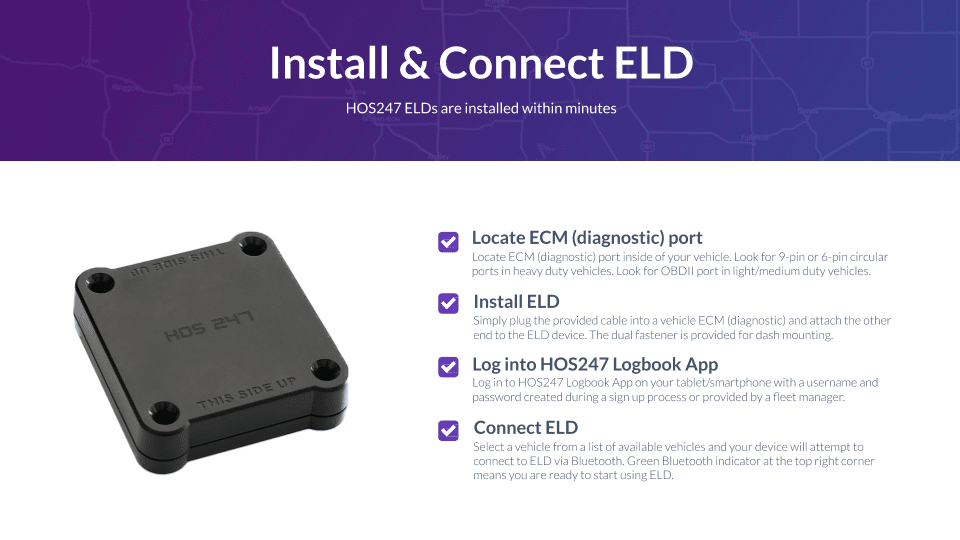
Because regulations mandate continuous engine synchronization, merely plugging a device into the dashboard is not enough; the hardware must seamlessly bridge the gap between the engine and the application. Certified systems utilize adaptable interface hardware that connects securely to heavy-duty 9-pin ports or medium-duty OBDII cables. This physical link ensures the software accurately tracks odometer readings and engine hours across mixed fleets, regardless of whether the carrier operates heavy-duty semi-tractors or medium-duty delivery vans.
Operational Advantages of HOS247’s Electronic Logbook for Android
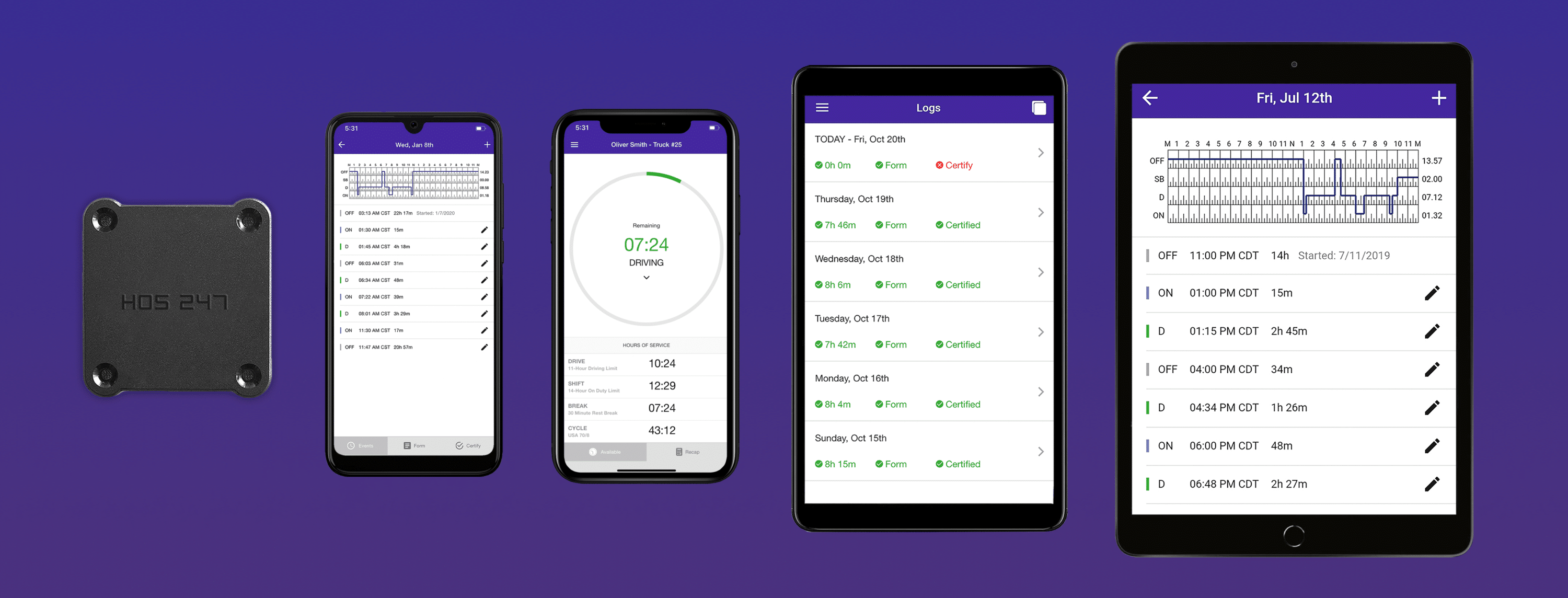
Choosing the right hardware and software combination helps commercial motor carriers protect their safety ratings and optimize daily workflows. HOS247 provides a dedicated electronic logbook for Android engineered specifically to eliminate compliance gaps and simplify fleet administration. The system balances driver usability with strong back-office tools to deliver clear operational benefits:
- Driver-focused mobile app. Reduce administrative errors with a straightforward driver logbook app that eliminates complicated menu screens. Drivers can manage duty status entries, edit annotations, and complete vehicle inspection reports with minimal taps.
- Plug-and-play vehicle gateway. Eliminate data gaps through instant diagnostic port synchronization. The gateway establishes a dedicated Bluetooth link to the mobile device screen, capturing engine parameters continuously without dropping signals during rough roads.
- Multilingual driver support. Resolve roadside issues quickly with multilingual technical support. The system connects drivers to live troubleshooting specialists fluent in English, Spanish, Polish, and Russian during stressful scale checkpoints.
- Optimized battery performance. Prevent mobile device overheating and rapid battery drain with efficient background code. The logging app runs continuously during long shifts without draining device power or requiring heavy charging cables.
- Universal diagnostic cable assemblies. Avoid vehicle hardware incompatibility with adaptable cable options for standard 9-pin, 6-pin, and OBDII ports. This ensures a secure and reliable connection whether fleets operate heavy-duty semi-tractors or medium-duty delivery vans.
- Transparent hardware replacement options. Minimize unexpected operational costs with straightforward equipment replacement policies. Carriers can swap damaged logging components quickly without facing penalties, hidden activation fees, or surprise markups.
- Centralized fleet manager portal. Simplify fleet oversight using integrated electronic tools. Administrators can view real-time vehicle location tracking, digital driver logs, and automated IFTA distance calculations from a single dashboard.
- No-contract subscription plans. Maintain operational flexibility with no-contract subscription plans. These plans protect carrier cash flow by allowing fleets to scale vehicle counts up or down without multi-year hardware leases.
Equipping drivers with these specialized tools reduces frustration in the cab, which becomes especially critical when enforcement officers request immediate access to a driver’s records.
Managing Roadside Safety Checks with an Android Device
Roadside inspections demand fast, organized access to compliance records to avoid unnecessary delays and potential safety violations. Using a streamlined electronic logbook for Android allows drivers to present historical records efficiently during roadside traffic stops. Proper software preparation guarantees that enforcement officers receive exactly what the law requires without accessing private driver information.
Activating the Inspection Lockdown View
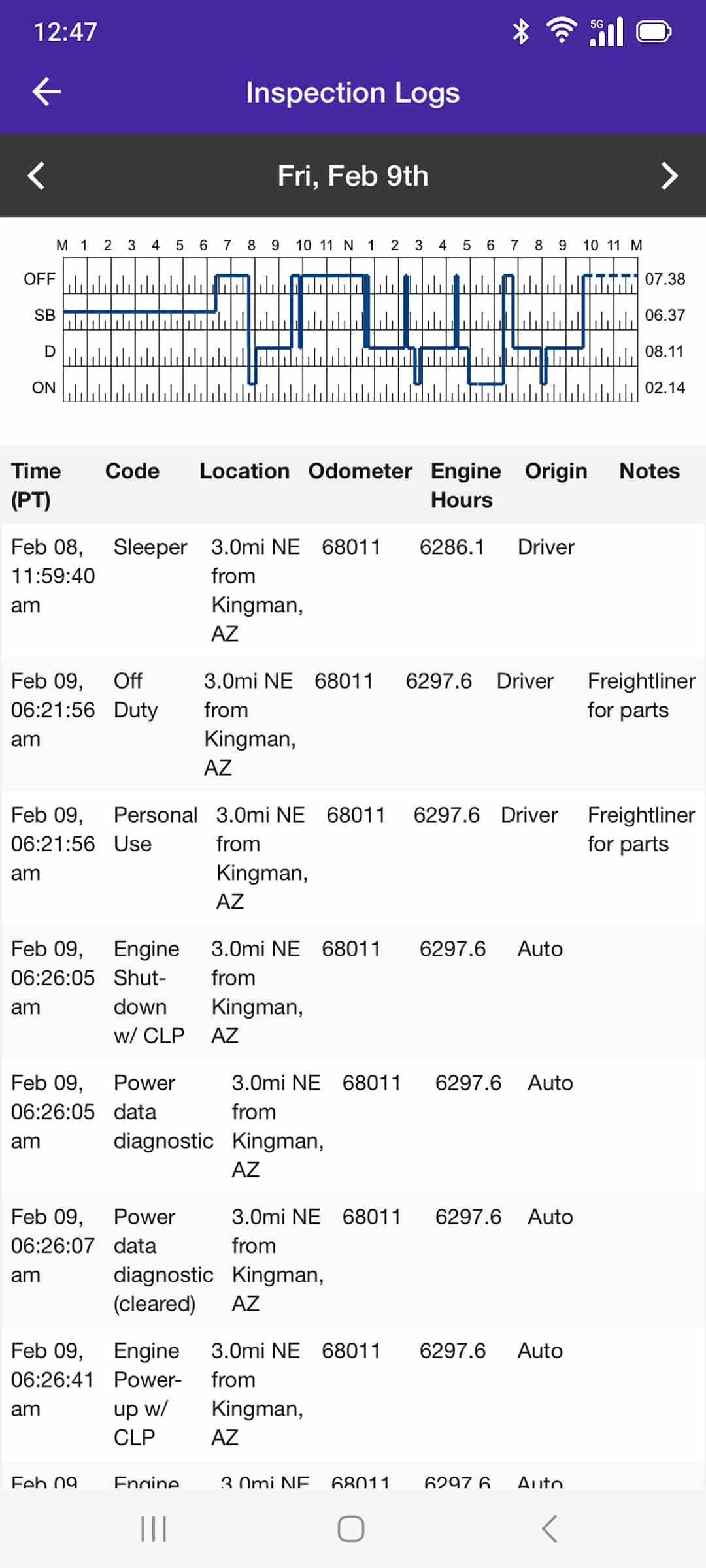
Regulatory guidelines mandate a quick-access inspection interface that protects driver privacy. Drivers can lock the compliance application into a dedicated inspection mode with a single tap. This lockdown view displays mandatory hours of service summaries while hiding personal notifications, unrelated applications, and corporate routing data. It presents a clean, professional compliance record directly to the official without exposing personal mobile data.
Wireless eRODS Transfer Mechanics
When an inspector requests a digital log transfer, the driver initiates the process directly through the application interface. The software compiles the records and transmits them to enforcement systems via local transfer or email protocols over the device’s cellular connection. This seamless process sends the electronic record of duty status (eRODS) directly to the review portal within minutes, verifying compliance instantly.
Handling Hardware Screen Handoffs
If network congestion prevents an electronic file transfer, drivers must present their logs manually. The legal protocol requires handing the physical phone or tablet to the inspector to display the standard 24-hour graph grid on the screen. High-contrast screen layouts and clear text sizing ensure inspectors can quickly review required duty status signatures and vehicle identifiers, reducing roadside stress and shortening delays. Of course, this process only works if the technology is functioning properly.
Correcting System Malfunctions and Compliance Protocols
Mobile technology can experience unexpected hardware or software issues during transit. Commercial fleets must have standard procedures to handle logging system disruptions without violating regulations. Understanding the difference between minor application errors and critical system failures keeps drivers compliant and helps prevent out-of-service orders.
Identifying Software Data Losses
Drivers must know the difference between a temporary screen freeze and a critical data diagnostic event. A minor software lag can usually be resolved by restarting the application or refreshing the mobile screen. However, a critical malfunction occurs when the Android electronic logbook app fails to read mandatory vehicle metrics — such as odometer changes, engine hours, or time stamps — from the engine gateway interface.
Deploying Mandatory Emergency Backups
Rules require immediate action when a logging system fails to record compliance data. The driver must notify fleet management as soon as the vehicle is safely parked upon discovering the application or hardware failure. To maintain legal records, the driver must manually track their hours using backup paper log sheets until the system returns to service:
- Driver notification window. The operator must document the exact breakdown or diagnostic code on their daily logging record to establish the active timeline.
- Fleet response timeline. Carriers must rectify software data link errors and hardware malfunctions within a 14-day maintenance window. Resolving hardware issues quickly prevents carriers from facing safety rating downgrades and roadside penalties. Carriers must operate within this window to maintain full operational compliance.
Following these steps helps drivers maintain compliance during an unexpected technical breakdown. By acting quickly to notify the carrier and switching to paper records immediately, operators protect their safety profiles and keep freight moving without risking out-of-service orders.

Frequently Asked Questions about Android Electronic Logbooks

I’ve co-founded, built and managed several transportation-related businesses. Now, I’m a founder and CEO of HOS247 – an AI Transportation Platform for trucking companies, freight brokers and other logistics operations. We are transitioning old-style operations to technology-advanced logistics entities and help them to grow their businesses. ELDs (electronic logging devices), fleet tracking and management 2.0 combined with AI-powered dispatch tools.









Managing a fleet can be challenging, from tracking their locations to preventing delays, theft, and other issues. However, there is a solution that can revolutionize fleet management: GPS trailer trackers. These devices provide motor carriers with unprecedented control over their
The electronic logbook law is another term for the ELD Mandate, which is a Transport Canada new elogs law requiring certain commercial motor vehicle drivers to use electronic log devices (ELDs or elogs). This new law on electronic logs shouldn’t

After several enforcement delays, the Canadian ELD mandate was fully implemented on January 1, 2023. Much like the elog rule in the US, Transport Canada ELD regulations now require commercial vehicle drivers to record their hours of service using an