
The Hardware-Software Connection: Built for the Road
The backbone of any compliance system is the physical link between your engine and your display. If this connection is weak, your logs are a liability.
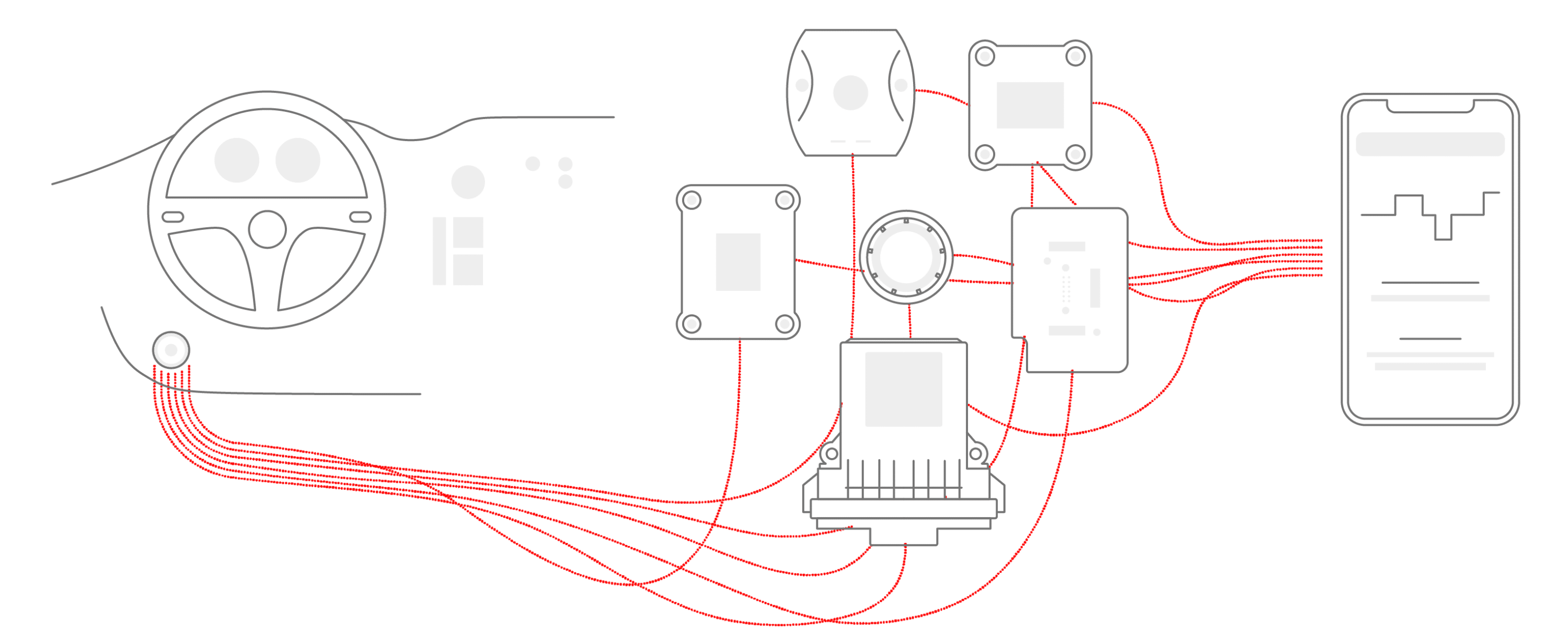
The Hidden Cost of Generic Hardware
Many providers use generic ECM (Engine Control Module) plugs to save money. These plastic, consumer-grade pieces might not withstand the vibration, dust, and temperature swings of a commercial cab. Risks and consequences include:
- Connection failure. Generic plugs frequently shake loose or overheat.
- Data gaps. Hardware failure creates missing engine data that appears suspicious during inspections.
- Compliance risk. Missing records can trigger “No Record of Duty Status” (RODS) fines and Out of Service (OOS) orders.
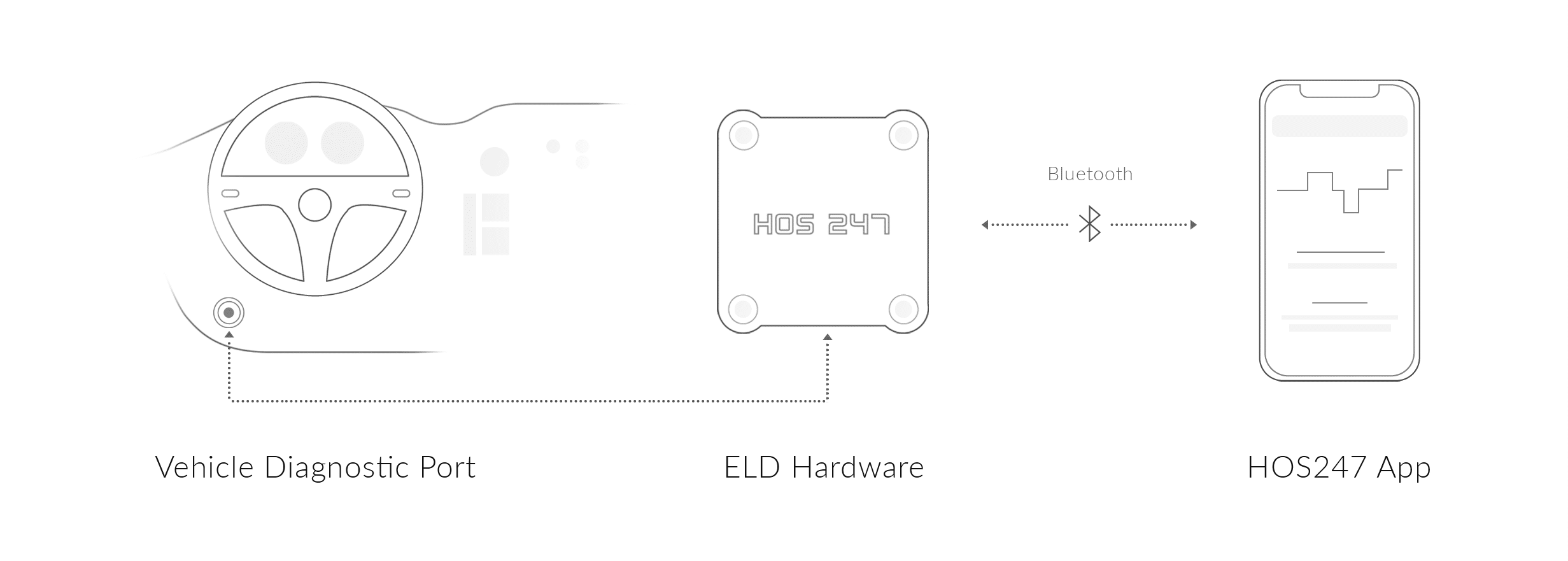
Why Native Design Beats Third-Party Systems
Reliability comes from integration. Many ELD companies buy third-party hardware and force their software to communicate with it. This approach often causes dropped Bluetooth signals and data lag. Advantages of native systems, like HOS247, include:
- Stronger integration. Hardware and software are designed as a single unit to work together.
- Stable connection. No buffering or “searching for device” loops.
- Accurate tracking. No lost miles or delayed synchronization.
Investing in a system with tough, proven hardware is the best way to get rid of technical headaches. When equipment works correctly, drivers can focus on moving freight instead of fighting with a frozen screen.
Mastering Advanced HOS Scenarios with Your Electronic Driver Logbook
Federal HOS rules can get complicated quickly, especially when you run into unexpected delays. A basic digital tracker simply records your time, but a high-quality electronic driver logbook actively helps you manage complex rules to maximize your legal driving hours.

Calculating Sleeper Berth Splits in Driver Electronic Logbook Software
Long detention times at shippers and receivers are a common challenge. If you remain On-Duty while waiting for a dock door, your 14-hour workday clock continues to run. However, the federal split-sleeper berth provision allows you to pause that clock by dividing your mandatory 10 hours of rest into two qualifying periods.
Common legal splits include:
- 8/2 split. Eight hours in the sleeper berth and two hours off-duty.
- 7/3 split. Seven hours in the sleeper berth and three hours off-duty.
- 5/5 split. Two equal rest periods that pause the 14-hour window.
The math behind these splits can be complex. If you miscalculate your available hours on a paper log, you risk a serious violation. Professional driver electronic logbook software handles these calculations automatically.
Key benefits include:
- Instant recalculation. The system updates your available drive time immediately after logging a qualifying rest period.
- Audit protection. Automated calculations reduce “form and manner” violations caused by manual errors.
Handling the Adverse Driving Conditions Exception
Every driver eventually runs into a situation they could not have predicted. The adverse driving conditions exception allows you to extend both your 11-hour driving limit and your 14-hour duty window by up to two extra hours to safely reach a truck stop or your final destination.
Valid reasons for using this exception include:
- Highway closures. Sudden closures caused by major accidents.
- Severe weather. Unforecasted conditions such as snowstorms or flash floods.
- Road shutdowns. Unexpected disruptions not known before the trip began.
To use this rule legally, you must clearly explain the situation to the DOT. A reliable logging app allows you to add an annotation — a digital note — directly to the log. Managing these advanced exceptions requires a software engine that updates your availability in real-time to protect you from accidental HOS violations.
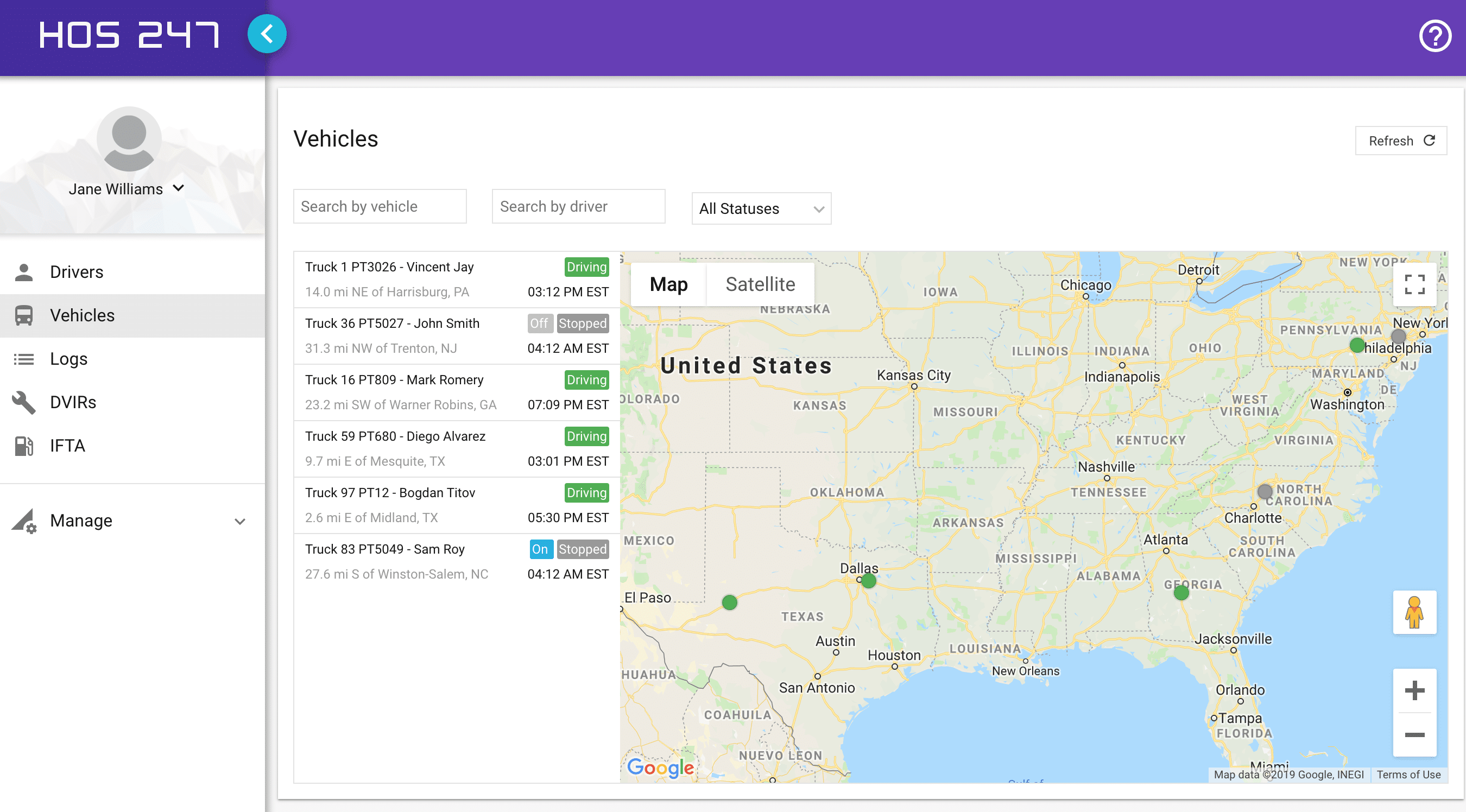
Features that Protect the Driver’s Experience
A system should do more than just keep you out of trouble with the DOT. The best electronic driver logbooks are designed with tools that actually make your daily routine easier, reducing the mental strain of constantly watching the clock.
One-Click Inspection Mode and Privacy Controls
Getting pulled into a weigh station is stressful enough without having to fight with your tablet. When an officer asks to see your logs, you need a system with a simple, one-click inspection mode. This feature instantly locks down your display, hiding your personal text messages, private routing information, and dispatch notes from the inspector’s view. It strictly presents only the eight days of logs required by law.
Furthermore, DOT officers expect fast results. The industry standard for transferring data is the Web Services method. A professional-grade system packages and sends your secure data file to the officer’s computer in just seconds. Handing over a fast, organized, and professional-looking digital log sets a positive tone for the entire roadside inspection.
Predictive HOS Alerts and Trip Planning
Trip planning is much easier when you have a digital co-driver watching your back. Instead of just turning the screen red after you commit a violation, premium software gives you proactive warnings. The system will send audio and visual alerts 60 minutes, and then 30 minutes, before you run out of driving time or need to take your mandatory break.
These predictive alerts give you plenty of time to find safe truck parking before your clock officially expires. While these advanced features are not strictly required by law, they are absolutely essential for a stress-free workday. High-quality software takes the administrative mental load off your shoulders, allowing you to operate your vehicle safely and efficiently.
Streamlined Electronic DVIR (eDVIR)
Paper inspection booklets are easily lost or damaged. HOS247 integrates the Driver Vehicle Inspection Report directly into the app. Drivers can complete their pre-trip and post-trip inspections in seconds using a simple checklist. If a defect is found, it’s instantly flagged for the mechanic, ensuring the truck stays safe and the carrier stays compliant without the paperwork shuffle.
Maintaining Log Integrity in Your Electronic Logbook for Driver
Keeping your logs legal is a team effort between the driver in the cab and the safety manager back at the office. Even with the best driving habits, errors can happen. A professional electronic driver logbook provides the tools needed to fix those mistakes legally while keeping the DOT happy.
The Carrier’s Liability for Unassigned Miles
One of the biggest headaches for any safety manager is “unassigned driving.” This happens when the truck moves, but no driver is logged into the system.
The rule: the FMCSA legally requires motor carriers to account for every single mile the truck’s engine records. You cannot just delete unassigned miles.
If a mechanic takes the truck for a test drive, or a yard hostler moves the trailer across the lot without logging in, those miles get stored in the engine hardware. When the actual driver gets back in, the system will ask them to accept or reject those mystery miles. High-quality software allows the back office to easily review these events, figure out who was moving the truck, and assign the time correctly as a “Yard Move” or a mechanic’s test drive so it doesn’t ruin your legal drive time.
Preserving the Original Record for Audit Defense
Sometimes, you just make an honest mistake. You might forget to log out at the end of the day, leaving your status stuck on “On-Duty” all night. Federal rules allow you and your carrier to edit your log to fix these errors, but the rule is this:
The original record is never deleted. The edit creates a visible “audit trail.”
When you use a reliable electronic logbook for driver compliance, the software safely stores the original mistake and clearly shows the legal edit layered on top of it. During a comprehensive safety audit, inspectors look for this exact transparency. A clear audit trail proves to the DOT that your carrier is actively managing its records without trying to hide or falsify data.
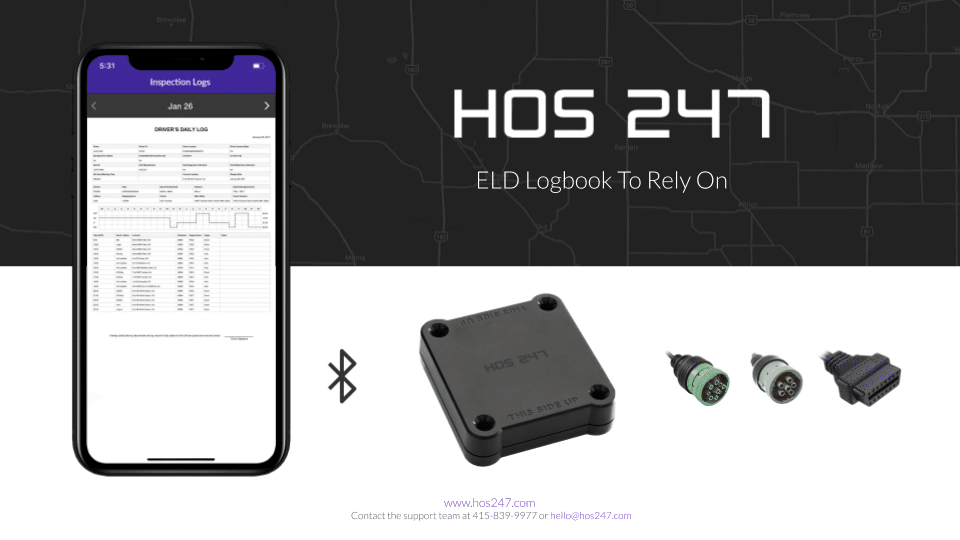
Beyond Compliance: The Fleet ROI of Driver Electronic Logbook Software
Most folks view logging devices simply as a necessary cost of doing business to keep the DOT off their backs. However, when you invest in professional-grade electronic logbook, it actually pays for itself. By pulling deep data straight from the engine, a premium system gives you tools to cut costs and run a tighter, more profitable fleet.
Turning Data Into Dollars
Instead of just tracking hours, smart fleets use their compliance hardware to monitor the health and efficiency of their trucks. Here is how advanced telematics put money back into your pocket:
- Fuel conservation via idle monitoring. Running a truck engine for hours while sitting at a dock burns through expensive diesel and puts massive wear on your engine block. The software tracks exactly how long each truck idles. By spotting these trends, carriers can work with drivers to reduce unnecessary idling, instantly lowering the weekly fuel bill.
- Real-time vehicle diagnostics (DTCs). A breakdown on the side of the interstate ruins your schedule and costs a fortune in emergency towing. Premium hardware reads engine fault codes directly from the computer in real-time. If a sensor detects a mechanical issue, it alerts both the driver and the shop immediately, letting you route the truck to a mechanic before the engine fails completely.
- Automated IFTA and GPS tracking. Calculating quarterly fuel taxes (IFTA) by hand is a tedious, time-consuming chore. Because the hardware uses precise GPS, it automatically tracks the exact miles driven in every state. With this information, the back office can generate accurate fuel tax reports with ease. Plus, dispatchers can use that same GPS to give waiting customers exact arrival times.
When electronic driver logbooks include these heavy-duty operational tools, they transform from a forced government expense into a highly valuable business asset. The right software saves fuel, prevents breakdowns, and sharply reduces the time your office spends on paperwork.

Why HOS247 Is the Preferred Partner for Professional Drivers
When you are ready to upgrade your compliance system, you need a provider that understands the daily grind of the freight industry. Drivers do not have time to deal with clunky apps, and fleet managers cannot afford the risk of using unverified hardware. HOS247 delivers the exact mix of rugged equipment and reliable support that professionals demand from their electronic logbook system.
We built our platform directly around the feedback of the people behind the wheel. Here is how HOS247 provides a more dependable logging solution for your fleet:
- Stable engine sync. We do not rely on generic, third-party plugs. Our proprietary hardware is specifically engineered to maintain a constant, secure connection with your truck’s engine, completely eliminating the dropped signals that cause unassigned driving errors.
- Driver-friendly interface. Logging your day shouldn’t require a tech degree. Our app features large buttons, clear readable screens, and a dedicated dark mode for night driving.
- BYOD flexibility. You are not forced to buy overpriced, locked-down tablets. Our system works seamlessly with the Android and iOS smartphones and tablets your drivers already own.
- No-contract freedom. We believe we should earn your business every single month. HOS247 offers straightforward, month-to-month plans without trapping you in restrictive multi-year contracts or hitting you with hidden cancellation fees.
- Real human support. When you are stuck at a weigh station on a Sunday morning, you need an answer immediately. Our top-tier support team is available seven days a week, providing live, expert help in English, Spanish, Russian, and Polish. No frustrating bots.
By prioritizing rock-solid hardware and accessible human support, HOS247 provides the peace of mind that professional drivers need to stay focused entirely on their destination.
Staying informed on these operational rules helps drivers handle roadside inspections and fleet management with complete confidence.

Secure Your Authority with a Verified Partner
Mastering your daily limits requires a combination of smart driving habits and rock-solid hardware. When you are hauling freight, you simply cannot afford to have your operating authority compromised by a weak Bluetooth connection or a confusing app interface.
Investing in highly stable electronic driver logbooks protects your CDL, keeps your carrier’s safety rating clean, and sharply reduces the mental stress of managing your Hours of Service. It transforms a frustrating regulatory requirement into an automated, background process.
Stop struggling with technical glitches, constant connection drops, and generic customer support. Schedule a demo with HOS247 today to experience a logging solution built specifically for the demands of the modern commercial driver.
A Note to Our Readers on Compliance
This article is intended for informational and educational purposes only. It is not a substitute for official regulatory guidance or legal advice. HOS and ELD regulations are complex and subject to change and interpretation by enforcement authorities. Please always refer to official sources for the most current and accurate information.

I’ve co-founded, built and managed several transportation-related businesses. Now, I’m a founder and CEO of HOS247 – an AI Transportation Platform for trucking companies, freight brokers and other logistics operations. We are transitioning old-style operations to technology-advanced logistics entities and help them to grow their businesses. ELDs (electronic logging devices), fleet tracking and management 2.0 combined with AI-powered dispatch tools.









Vehicle Log Book App for Android and iOS Electronic logging devices are a legal requirement for commercial drivers. They are also useful to streamline operations, stay on top of fleet maintenance, and save carriers time and money. An essential part

Managing a fleet of trailers can be challenging, from tracking their locations to preventing delays, theft, and other issues. However, there is a solution that can revolutionize fleet management: GPS trackers. These innovative devices provide motor carriers with greater control

When it comes to the trucking business, visibility of operations can be a valuable tool to increase efficiency. In addition to improving safety, cargo trailer GPS trackers contribute to considerable savings and optimized workflows. Real-time tracking offers transparency, enabling fleet