
Navigating the 11 and 14-Hour Rules
How many hours can a commercial truck driver drive To manage your available time legally, you have to watch two different clocks at once. The biggest mistake new drivers make is confusing their actual driving time with their total allowed workday.
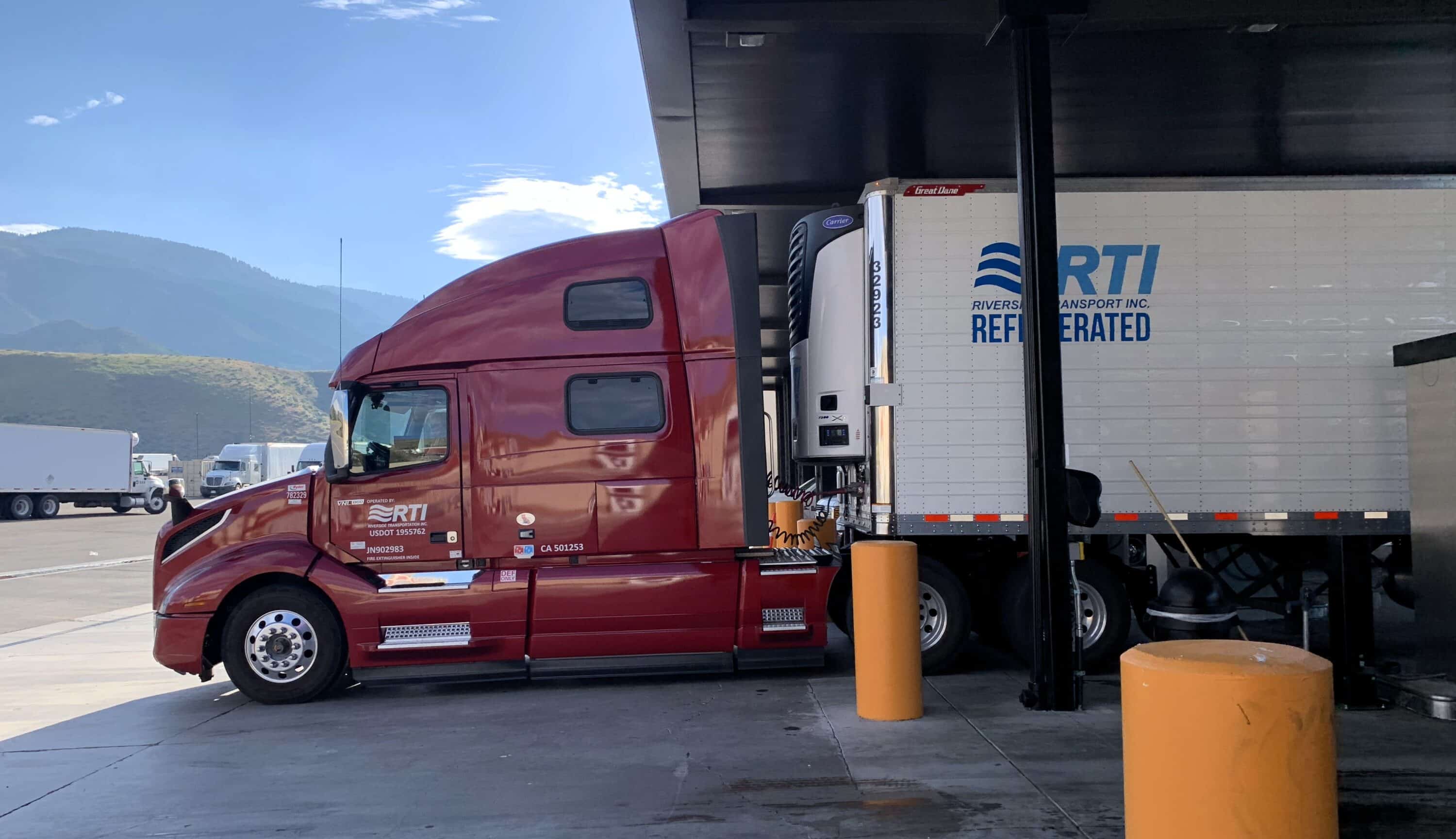
The Difference Between Driving and On-Duty Time
The 11-hour limit is simple: it is the maximum amount of time your truck can actually move during one shift. But this drive time must fit inside your 14-hour duty window.
As soon as you do any work — like checking your equipment, pumping fuel, or waiting at a dock — your 14-hour clock starts ticking. Once you reach the end of that 14-hour limit, you cannot drive your commercial vehicle anymore. This is true even if you only drove for five hours that day.
Managing the Continuous Clock
The hardest part of federal compliance is that you usually cannot pause the 14-hour clock. Taking a lunch break, sitting in heavy traffic, or waiting for a storm to pass will all burn through your available work time. The clock keeps ticking. To get the most productive hours a day out of your shift, you need smart trip planning instead of just driving faster.
Local Rules and State Exceptions
State rules sometimes override federal limits if you operate locally. For example, in California, intrastate drivers who never cross state lines can drive up to 12 hours within a 16-hour workday. But if that same driver picks up a load going to another state, they must follow the strict 11 and 14-hour federal limits right away.
Knowing how these two clocks work together is the foundation of a legal logbook. Without a strong grip on these basic rules, even the best electronic logging software cannot stop you from getting a costly violation.
Managing Rest Breaks and the 60/70-Hour Rolling Limit
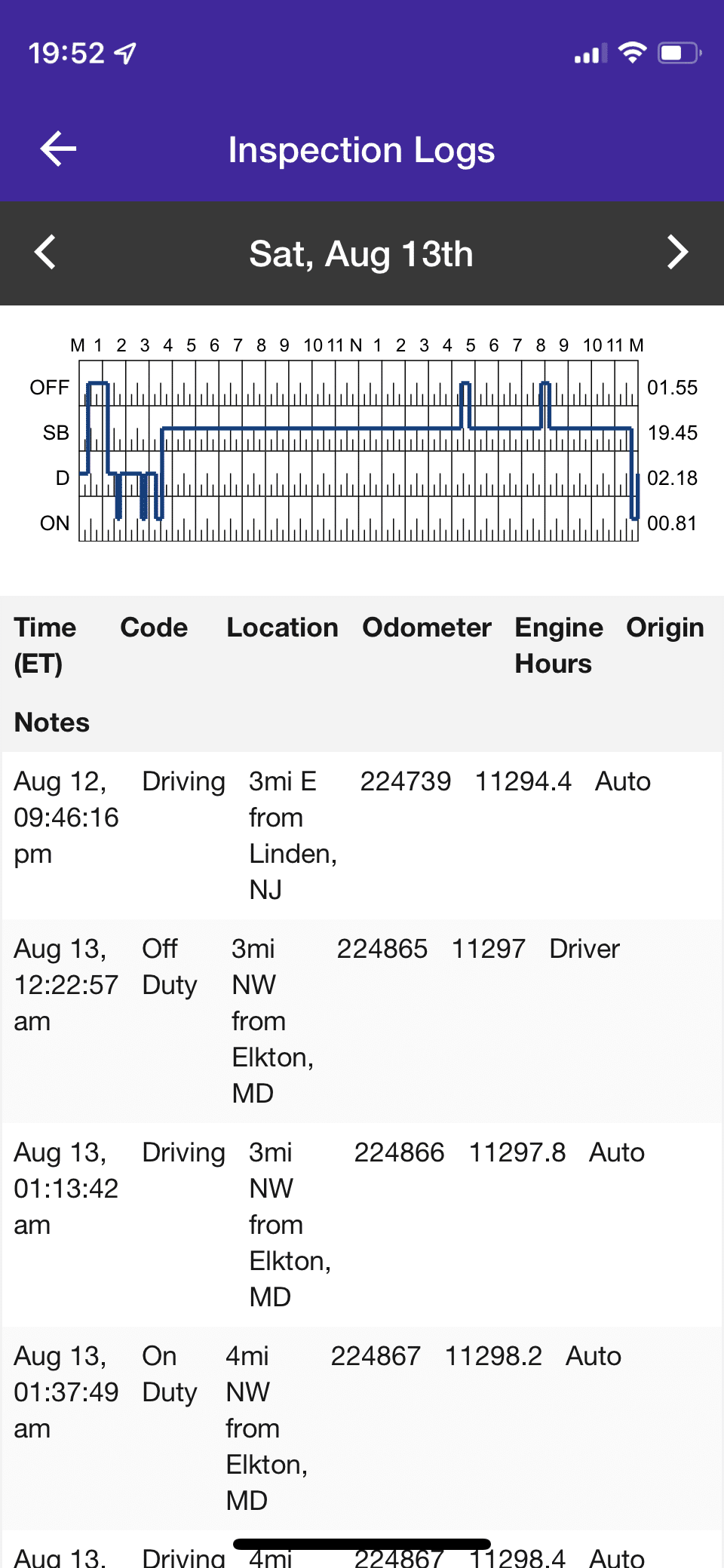
Beyond your daily limits, federal rules require you to manage your rest breaks and monitor your total weekly workload. Keeping track of these numbers ensures you remain legal over the course of a long dispatch.
The Mandatory 30-Minute Break
Federal regulations state that you must take a 30-minute interruption after you accumulate eight hours of driving time. If you reach eight hours of driving without a break, you cannot legally drive the truck again until you stop for at least 30 straight minutes.
The good news is that you do not have to log this time as “Off-Duty” or “Sleeper Berth.” You can satisfy this mandatory break while logged as “On-Duty, Not Driving.” This allows you to legally complete your 30-minute requirement while pumping fuel, inspecting your equipment, or handling paperwork at a receiving office.
The Weekly Cycle Limits
To prevent extreme long-term fatigue, the FMCSA caps your total working hours over a rolling week. Most interstate carriers use one of two schedules:
- The 60-hour/7-day rule. If your company does not operate vehicles every day of the week, you cannot drive after reaching 60 hours of on-duty time in any 7 straight days.
- The 70-hour/8-day rule. If your company operates every day of the week, you cannot drive after reaching 70 hours of on-duty time in any 8 straight days.
Once you hit that 60 or 70-hour limit, you must stop driving. You can only get behind the wheel again as your older on-duty hours drop off the back end of the rolling 7 or 8-day period.
The 34-Hour Restart
Instead of waiting for hours to roll off day by day, you can choose to reset your weekly clock completely. Taking 34 consecutive hours of Off-Duty or Sleeper Berth time resets your 60 or 70-hour cycle back to zero. Smart fleets treat the 34-hour restart as a powerful productivity tool. Drivers often schedule these restarts during long weekend layovers or extended wait times at shippers, allowing them to start a fresh work week with maximum available hours.
These limits might seem restrictive when you are trying to deliver a load, but they exist to prevent severe driver fatigue. Pushing past these boundaries carries heavy financial fines and legal consequences that can instantly ruin a driving career.

Moving Beyond Basics: Tools for Seamless HOS Management
Knowing the rules is your job, but calculating them manually while navigating a heavy truck is exhausting. Modern compliance software should handle the heavy lifting for you. The best systems include advanced features that actively improve your daily driving experience.
Predictive Violation Alerts
A high-quality logging system does the math for you in real-time. Instead of just showing a red error screen after you break a rule, the software gives you proactive warnings. It will trigger audio and visual alerts 30 or 60 minutes before you run out of drive time or hit your mandatory break limit. This gives you plenty of time to find a safe truck stop or rest area before you log a violation.
Robust Offline Sync
Trucking often takes you through remote areas with zero cellular service. When you lose cell signal, your hardware must continue to record your engine data locally. Once you drive back into a coverage area, the system needs to sync that stored data to the cloud automatically. If a cheap device drops data during a cell outage, it creates blank gaps in your log. To a DOT auditor, those missing gaps look exactly like illegal log falsification.
One-Click Inspection Mode
When you get pulled over at a weigh station, you want the process to be fast and simple. A premium system offers a simplified inspection interface. With just one click, you can securely transfer your data files directly to the DOT officer’s computer. The software should also lock your screen during this process, protecting your private fleet routing information from the inspector’s view.
These advanced tools are not strictly required by law, but they make a massive difference on the road. Features like predictive alerts and seamless data transfers separate highly profitable, low-stress fleets from those that waste hours fighting with technical glitches.
Utilizing Sleeper Berth Splits to Pause the 14-Hour Clock
Normally, your 14-hour workday is a continuous clock that you cannot stop. However, the FMCSA provides a specific exception called the split-sleeper berth provision. This rule gives you the flexibility to divide your required 10 hours of rest into two separate shifts. By doing this correctly, you actually pause your 14-hour duty clock during these rest periods, helping you maximize the productive hours a day you can safely work.
The Math Behind the Splits
To use this rule, you must divide your rest into two distinct blocks that add up to your required 10 hours. When paired correctly, neither of these qualifying rest periods will count against your 14-hour workday limit.
|
Split Type |
Main Rest Period |
Secondary Rest Period |
Key Requirement |
|
8/2 Split |
8+ hours (Must be inside the sleeper berth) |
2+ hours (Off-Duty or Sleeper Berth) |
The two periods combined must total at least 10 hours. |
|
7/3 Split |
7+ hours (Must be inside the sleeper berth) |
3+ hours (Off-Duty or Sleeper Berth) |
The two periods combined must total at least 10 hours. |
|
5/5 Split |
5 hours (Sleeper Berth) |
5 hours (Sleeper Berth) |
Generally restricted federally to passenger-carrying CMV drivers. |
A Practical Road Application
Imagine you arrive at a busy warehouse and learn it will take three hours to get a dock door. If you stay logged as On-Duty, you burn three valuable hours of your workday just sitting in the parking lot.
Instead, you can climb into the back of the truck and log that wait time as the shorter portion of your split rest. This action legally pauses your 14-hour clock. Once unloaded, you can finish your drive and simply take the longer sleeper berth portion later that night.
While the split-sleeper concept is incredibly helpful for navigating long detention times, the math is complex. A reliable electronic logbook will calculate these splits automatically, showing you exactly how much driving time you have left without requiring you to guess.

Why Low-Quality Hardware Leads to HOS Violations
Knowing the rules is just the first step in compliance. Your equipment must actually record your time accurately. Many drivers attempt to save money upfront by purchasing the cheapest device available, but this decision frequently causes expensive regulatory failures out on the road.
Relying on discount hardware exposes your operation to several severe compliance risks:
- Constant connection drops. Cheap devices usually rely on low-tier Bluetooth components to link the physical engine hardware to your display tablet. As your truck travels down the highway, these weak wireless connections frequently drop the digital signal entirely.
- Unassigned driving errors. When the hardware loses connection with your tablet, it keeps recording the truck’s movement but no longer knows who is driving. This creates an “Unassigned Driving” error. If you fail to catch and fix this, a DOT inspector will cite you for a false or incomplete logbook.
- Targeted audit risks. The FMCSA knows exactly how cheap hardware fails. Their modern digital auditing software is programmed to scan your transferred data files specifically for wireless connection drops and missing data gaps.
- Costly Out of Service Orders. A logbook filled with missing gaps and unassigned miles proves to an auditor that your system is unstable. This often triggers a deeper, more aggressive inspection.
Ultimately, the upfront savings of a cheap device disappear the moment a safety officer issues a heavy fine or places you Out of Service simply because your hardware failed to record your day properly.
Leveraging Telematics for Operational Profitability
Many drivers and fleet managers view their compliance system purely as a mandatory regulatory expense. However, a premium electronic logging device provides a significant return on investment when utilized correctly. By pulling deep data directly from the vehicle’s engine, advanced telematics platforms offer tools that actively save money and improve daily dispatching efficiency.
Cutting Fuel Costs with Idle Monitoring
One of the largest hidden expenses in commercial trucking is excessive engine idling. When a truck runs for hours without moving, it burns expensive fuel and puts unnecessary wear on internal engine components. High-quality compliance software tracks this exact metric, generating detailed idle time reports. By identifying and reducing unnecessary idling across the fleet, carriers can instantly lower their weekly fuel bills and extend the lifespan of their equipment.
Proactive Preventative Maintenance
A sudden roadside breakdown ruins your schedule and eats directly into your profit margins. To prevent this, premium hardware reads Diagnostic Trouble Codes (DTCs) straight from the engine control module in real-time. If the truck detects a mechanical fault, the system immediately sends an alert to both the driver and the maintenance team. Catching these minor engine issues early allows you to schedule repairs safely at a shop, avoiding expensive emergency towing fees and missed delivery windows.
Streamlining IFTA and Route Tracking
Calculating quarterly fuel taxes by hand takes hours of frustrating administrative work. Because your telematics device features precise GPS integration, it automatically tracks the exact miles driven within each state or province. This automated jurisdictional tracking allows back-office staff to generate highly accurate International Fuel Tax Agreement (IFTA) reports with ease. Furthermore, real-time location tracking helps dispatchers provide accurate arrival times to waiting customers.
When a compliance platform includes these advanced operational tools, it stops being a forced regulatory burden. Instead, it transforms into a highly profitable business asset that helps fleets reduce waste and manage their daily workflows efficiently.
Why HOS247 is the Stable Solution for HOS Tracking
When fleets decide to switch from a failing provider, they need a system built to withstand the physical realities of the road and the strict digital demands of modern apps. HOS247 provides the exact combination of rugged hardware, transparent business practices, and dedicated support that modern trucking companies require.
Partnering with HOS247 delivers several distinct operational advantages:
- Engineered hardware stability. Our proprietary telematics devices are specifically engineered to maintain a constant, unbreakable Bluetooth handshake with the mobile application. This completely prevents the data loss and unassigned driving errors that frequently trigger DOT audits.
- Vetted federal compliance. The HOS247 system is fully registered and has successfully cleared the latest FMCSA technical vetting updates, ensuring your operating authority remains protected from sudden device revocations.
- A driver-first design. We built our interface directly around driver feedback. Large touch targets, clear status indicators, and a dedicated night mode make daily logging entirely frictionless.
- Multilingual human support. Commercial driving happens every day of the week, and technical questions do not pause for the weekend. Our top-tier support team is available seven days a week, providing expert, live help in English, Spanish, Russian, and Polish.
- No-contract freedom. Unlike companies that subsidize cheap hardware by trapping fleets in restrictive multi-year data agreements, HOS247 offers flexible, month-to-month plans. This gives your business complete operational freedom without the threat of hidden fees or early cancellation penalties.
HOS247 stands as the partner of choice for drivers and fleet managers who prioritize continuous uptime, honest business practices, and a system that simply works exactly as promised.
Frequently Asked Questions: How Many Hours Can a Commercial Truck Driver Drive?
Keeping these direct answers top-of-mind ensures you can plan your routes effectively and handle roadside questioning from safety officials with complete confidence.

Secure Your Future with Reliable Compliance
Operating a commercial motor vehicle requires an exact understanding of federal limits. A single math error or a dropped connection can result in severe fines, a damaged safety score, and costly Out of Service orders.
By mastering exactly how many hours can a commercial driver drive, you protect your professional driving career and your company’s operating authority. However, knowing the rules is useless if your technology fails to record your time accurately. You need a stable, vetted compliance system that acts as a dependable digital partner on the road.
Stop struggling with unreliable hardware, dropped wireless connections, and frustrating customer support. Schedule a demo or start your no-contract trial with HOS247 today to experience a premium tracking system built specifically for the demands of the modern commercial fleet.
A Note to Our Readers on Compliance
This article is intended for informational and educational purposes only. It is not a substitute for official regulatory guidance or legal advice. HOS and ELD regulations are complex and subject to change and interpretation by enforcement authorities. Please always refer to official sources for the most current and accurate information.

As an expert in B2B and B2C sales, I’ve dedicated myself to perfecting sales processes and client retention strategies in the logistics and trucking industry. I have significantly contributed to the expansion of the ELD service, catering to retail and wholesale clients in need of HOS247 ELD solutions. My unwavering commitment to implementing state-of-the-art sales techniques and technologies ensures the continuous growth and success of businesses I work with.








Since the electronic logging device (ELD) mandate went into effect, many local drivers have found themselves navigating a system built primarily with long-haul operations in mind. Designed to enforce hours of service (HOS) rules more accurately, the mandate requires most

For commercial carriers and owner-operators, commercial driver’s license (CDL) driver log books serve as the official record of a driver’s duty status under federal transportation rules. Federal regulations require drivers to log working hours using these records. The Federal Motor

For owner-operators to comply with the Federal Motor Carrier Safety Administration (FMCSA) electronic logbook rules, you will need to have a good electronic log to track your hours. This will also help you stay competitive and safe while working in