
How to Choose the Best ELD System for Owner Operator Drivers
There is a wide array of truck logbook solutions, so it can be difficult to be certain that you are making the right choice. Many factors must be taken into consideration according to the trucking operations being run. Here are some key points to keep in mind when looking for the best ELD system for owner operator truck drivers.

Daily Usability, Hardware, and Reliability
- Driver-friendly app. The elog app should be designed to make keeping records of duty status (RODS) as easy as possible and avoid burdening drivers with complicated systems. A quick and reliable way to find user-friendly elogs is to look at Google Play and Apple App Store reviews. Fellow truckers make the best references and can guide you toward finding the best ELD for one truck. During a demo or trial, check how easily you can review available hours, certify logs, and access inspection mode.
- Provider support. Technical issues with the logbook can delay operations and even earn you some hefty fines. Make sure to choose a provider with a solid support service to troubleshoot any issues within the shortest possible amount of time. Confirm that support hours fit your driving schedule and ask how unresolved problems are handled.
- Easily-installed hardware. Make sure to ask about the setup. We suggest you look for high-quality and dependable hardware with a quick installation process. Confirm compatibility with your truck’s engine and diagnostic port, including whether a separate cable is needed.
- Reliable offline recording. Ask how the system records engine activity when cellular coverage is unavailable. Confirm that required logging functions continue offline, which records remain accessible to the driver, and when information syncs with the office portal. Cellular coverage and the local connection between the app and hardware serve different purposes, so troubleshooting should address each separately.
Pricing, Contracts, and Device Flexibility
- Pricing transparency. Electronic logbook plans sometimes have hidden costs baked into their pricing for things like installation, data packages or training, and the final cost of the system may be greater than the original budget. Before committing, ask about extra fees. Request the full cost of hardware, subscriptions, activation, and replacement equipment.
- Contract flexibility. Vendors sometimes require their customers to sign long-term contracts, which could be a problem in the future if you decide to switch providers (or even plans within the same provider’s options). User reviews are helpful to identify these things before you agree to anything. Read the cancellation and renewal terms, even when a plan is advertised with a monthly price.
- BYOD compatibility. Bring your own device (BYOD) options let drivers use a compatible smartphone or tablet instead of purchasing or renting dedicated equipment. Check that the app supports your device’s operating system and version, whether Android or iOS.
Taking time to check these details helps protect your budget and keeps logging problems from interrupting your work. A suitable system supports accurate records and timely troubleshooting — important parts of meeting the requirements that allow an owner-operator to stay on the road.
Market Ratings: Evaluating ELD Providers
The FMCSA has created a list of electronic logbook providers. Owner-operators should consult it to make sure their provider is included and avoid compliance issues down the road. We also suggest looking at reviews on app distribution platforms. To get started, here is a list of some major providers’ ratings.
The FMCSA has created a list of registered, self-certified electronic logging devices. Owner-operators should consult it to make sure the specific model they are considering is listed and avoid compliance issues down the road.
We also suggest looking at reviews on app distribution platforms. Recent driver feedback can reveal recurring problems with connections, log management, or customer support. Review counts provide context: an average based on thousands of ratings reflects more reported experiences than one based on a handful. However, a high rating alone does not establish reliability or suitability for a single-truck business. To get started, here is a list of some major providers’ app ratings:
When comparing the best owner operator ELD options, look for reviews from drivers using similar phones, trucks, and operating schedules. Pay particular attention to recent feedback following software updates and how providers respond to reported problems. Use those experiences to guide questions during a demo or trial.

Key ELD Mandate Requirements for Owner-Operators
The ELD mandate sets performance and design standards for electronic logging devices and requires them to be registered with the FMCSA. The device must be connected to the engine, and it must be fully operational when the truck is moving to record miles and time driven, along with other required data. Engine synchronization allows the system to capture engine power status, vehicle motion, mileage, and engine hours automatically.
If a smartphone or tablet device is used, a cable or Bluetooth connection can link the display to the engine-connected hardware. The display must be mounted in a fixed position during vehicle operation and remain visible from the driver’s normal seated position. The system must automatically record Driving status when the vehicle reaches its configured motion threshold, which cannot exceed 5 mph.
The mandate also requires drivers to keep the following information and backup records onboard:
- Data transfer instructions. Instruction sheets for record transfers must explain how to display and send hours-of-service records to an authorized safety official.
- Malfunction instructions. An instruction sheet must explain elog malfunction reporting and the recordkeeping procedures to follow when the system fails.
- Backup logs. A minimum eight-day supply of blank driver RODS graph-grids must be available. Paper forms provide a practical backup if the mobile device becomes unusable.
The instruction sheets may be kept electronically. FMCSA guidance also permits compliant logging software to meet the blank-log requirement, although carrying paper logs avoids depending on the same phone or tablet during a device failure. Before a trip, check that the instructions are accessible, the display is secure, and the system is connected and recording correctly.
HOS247 Is the Best ELD System for Owner Operator Truckers
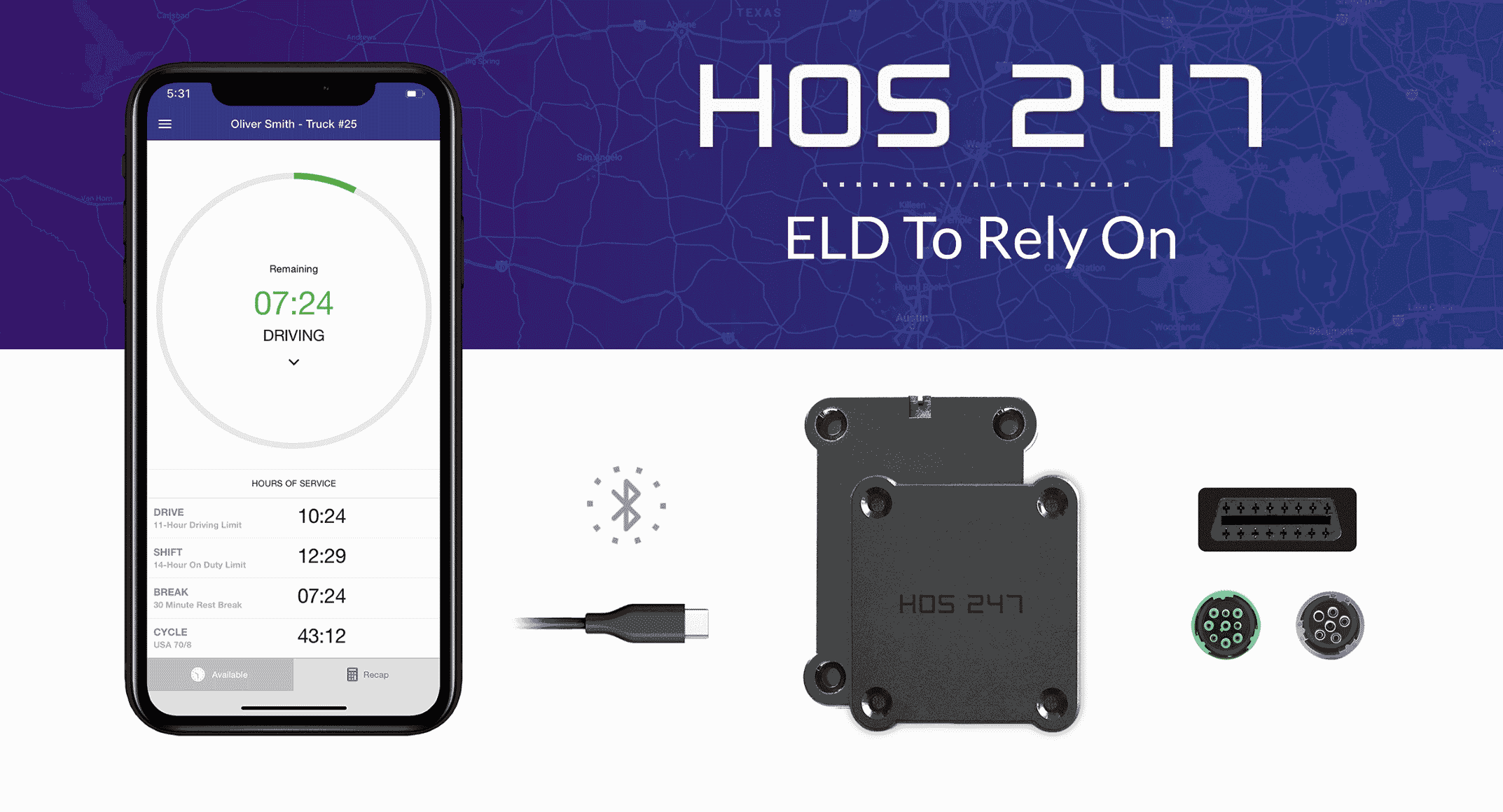
HOS247 supports owner-operators with electronic logging tools designed for daily use. Our reviews have shown our user base is satisfied with the solution, a practical choice when looking for the best owner operator ELD. Customers appreciate the logbook’s easy use, reliability and general performance, not to mention the top-rated customer support. Among the most important advantages of HOS247, you will find:
- User friendly app. Logs can be managed with a few clicks thanks to the intuitive design of our app and online portal. Drivers can review available hours, complete vehicle inspection reports, and access logs for roadside inspections.
- Top-rated technical service. HOS247 has a technical team available on any given day to support users with log issues in several languages, including Spanish. Our callback policy ensures you never have to explain your issues twice: if the call drops, your customer service representative will immediately get back to you.
- Compatible software. The HOS247 logbook operates on Android or iOS tablets and smartphones with ease so drivers can use their device of choice. Using an existing compatible device also avoids the expense of purchasing or renting a dedicated tablet.
- Reliable hardware. HOS247 has a high quality and reliable hardware solution. The software is specifically suited to it and ensures a stable Bluetooth connection and an accurate data collection process.
- No contracts. HOS247 truck logbook plans can be scaled according to the needs of the customer. Our no-contract policy allows this flexibility.
- Extra features. Optimize fleet management and trucking operations with real-time GPS technology, vehicle diagnostics, IFTA mileage calculations and remote California Clean Truck Testing without any additional hardware.
- Two-week trial. Try the hardware and app during your regular work schedule before deciding whether the system fits your needs. HOS247 offers a 14-day trial with a hassle-free return policy and money-back guarantee.
For an owner-operator handling both driving and paperwork, combining these services reduces the number of systems to manage. Electronic logs, IFTA mileage records, and remote emissions testing through compatible hardware help reduce administrative work and keep more time available for the business.
CSA Scores and ELD-Related Fines
The FMCSA uses its Safety Measurement System (SMS), part of the Compliance, Safety, Accountability (CSA) program, to identify carriers for enforcement attention. Where sufficient data is available, carriers receive percentile rankings in specific safety categories. Lower percentiles indicate better performance relative to similar carriers. Owner-operators do not start with a “perfect score,” and SMS percentiles are separate from federal safety ratings.
Here are some common logbook violations and their SMS severity weights. These weights are used in the calculation rather than added directly to a carrier’s percentile:
- Inadequate recording method: 5 points.
- Information error: The weight depends on the violation. Missing required ELD entries, such as a trailer or shipping document number, generally carry 1 point; a log that is not current carries 5 points.
- Failure to report malfunction: 5 points.
- The screen is not visible from outside the vehicle: 5 points.
- Missing required data transfer or malfunction instructions: 1 point.
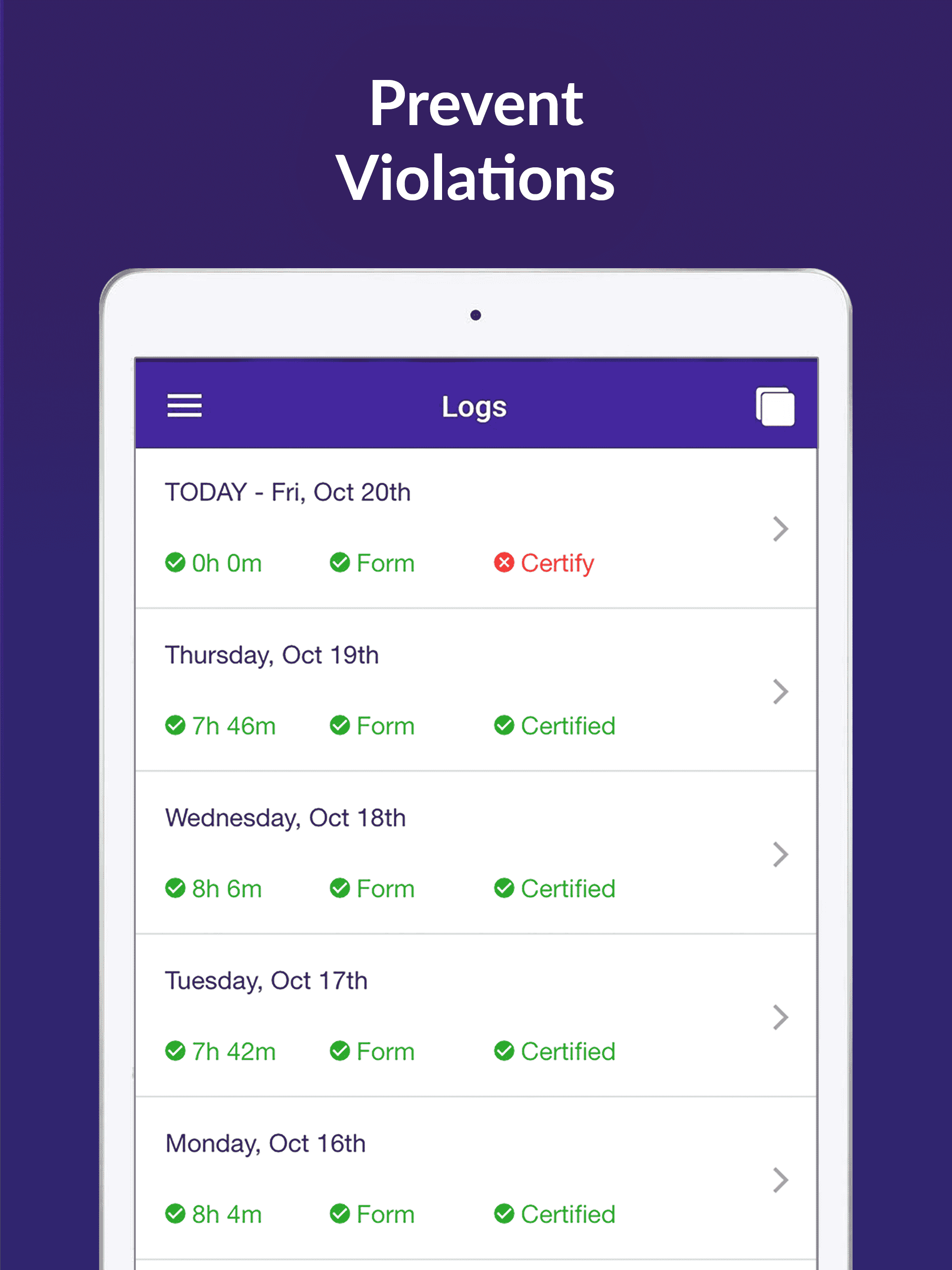
- Not certifying logs: 1 point.
Apart from their effect on safety performance data, recordkeeping violations come with costly fines. Under the current penalty schedule in 49 CFR Part 386, Appendix B, missing, incomplete, inaccurate, or false required records can result in civil penalties of up to $1,584 for each day the violation continues, up to $15,846. Knowing falsification that conceals a violation beyond a reporting or recordkeeping issue can carry a separate maximum penalty of $15,846. These are federal maximums, not standard fines applied to every violation.
The DOT carries out roadside inspections to make sure drivers comply with FMCSA standards. Fines can add up to significant amounts of money, but accurate logs, accessible instructions, and timely malfunction reporting help avoid preventable violations. Using an unregistered logging device can also result in enforcement action, so checking registration remains important after purchase.
California Emissions Non-Compliance Costs
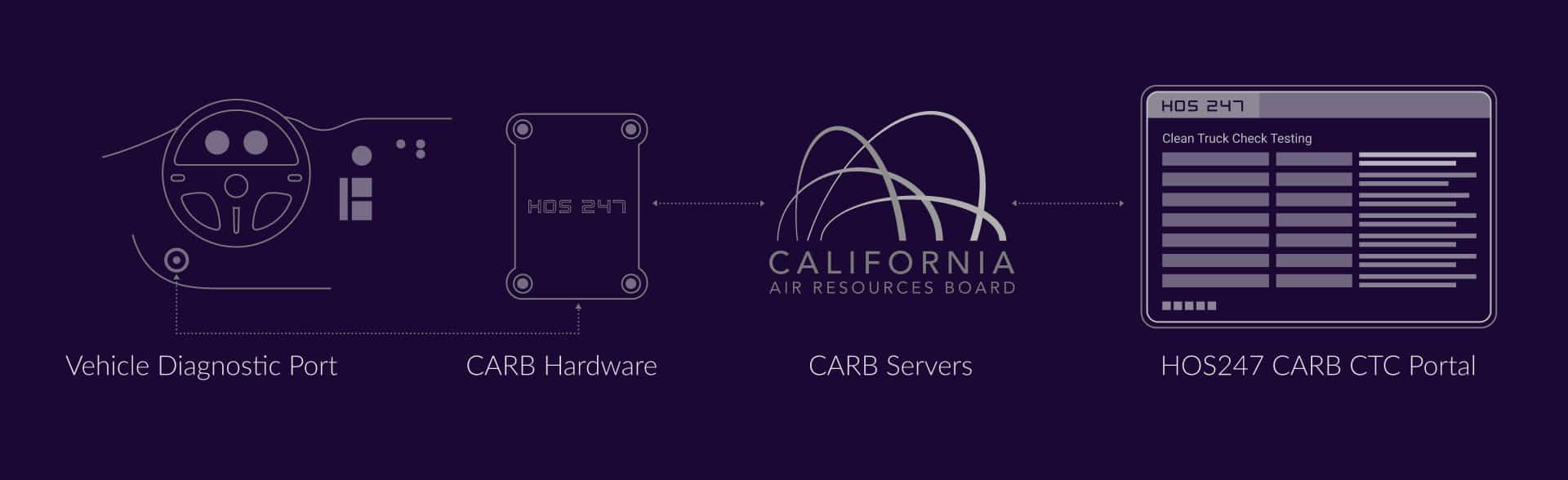
For owner-operators traveling into California, emissions requirements create additional financial risks. Clean Truck Check applies to most diesel and alternative-fuel vehicles with a gross vehicle weight rating (GVWR) over 14,000 pounds operating on California public roads, including trucks registered outside the state. CARB identifies potential civil penalties of $1,000 to $10,000 per day per vehicle under California Health and Safety Code Section 42402. Actual penalties depend on the circumstances.
Non-compliance can also prevent California vehicle registration or renewal and lead to denied access at applicable port and rail terminals. For a single-truck business, a missed pickup or an unavailable vehicle adds lost revenue to the cost of correcting the problem.
Keeping accurate logs, resolving vehicle defects, and meeting testing deadlines helps protect an owner-operator’s inspection record and ability to keep working. A dependable electronic logbook supports those tasks, while regular reviews help catch issues before they lead to fines or operational restrictions.
Troubleshooting ELD Problems on the Road
Knowing how to respond to a connection problem or malfunction helps owner-operators keep accurate logs and avoid unnecessary delays. Start by identifying what has stopped working: cellular service, the connection to the hardware, or the logging device itself. Each requires a different response.
- Keep recording through cellular dead zones. Losing cellular coverage does not necessarily interrupt electronic logging. HOS247’s engine-connected hardware continues collecting vehicle data and communicating with the driver’s app through the local connection. Records sync with the server when internet access returns. If the app disconnects from the hardware, follow the provider’s connection instructions and review any unassigned driving records after reconnecting.
- Resolve data transfer difficulties. Before sending logs during an inspection, check internet access and enter any routing code supplied by the officer exactly as instructed. HOS247 supports web services and email transfers. If one method fails, follow the instruction sheet and the officer’s directions to try the alternative. Required logs must also be available through the compliant display or printout. Telematics email transfers go through FMCSA’s designated system, rather than directly to an inspector’s personal email address.
- Follow the malfunction procedure. Note the malfunction and provide written notice to the motor carrier within 24 hours. An owner-operator serving as both driver and carrier should document the issue and contact the provider promptly. If accurate recording is affected, begin compliant backup logs and reconstruct the current day and previous seven days unless those records are already available. The carrier must repair, service, or replace the ELD within eight days of discovering the problem or receiving notification, whichever occurs first. Additional time requires an FMCSA extension.
- Prepare the inspection display. Become familiar with the app’s inspection mode before a roadside check. Confirm that the required records are available and practice locating the transfer options while parked. If the app offers an inspection lock, check what it restricts. On a personal phone or tablet, operating-system features such as app pinning or Guided Access can provide an additional way to limit access to other apps.
Before each trip, check the hardware connection, mobile device power, and any active diagnostic or malfunction indicators. Keeping cables secure and following the provider’s maintenance instructions helps identify problems early. Prompt support requests also leave more time to arrange repairs before a logging issue disrupts the next load.

Frequently Asked Questions About Owner-Operator ELDs

Choosing an ELD That Supports Your Business
Compliance is a crucial requirement for drivers. The best ELD system for owner operator truckers should support accurate logging and help prevent avoidable violations and penalties. However, it must also allow the owner-operator to improve operations and profitability. Dependable hardware, responsive support, and clear subscription terms help keep daily work manageable and costs predictable.
The HOS247 logbook has been in the market for several years and has a history of top-rated service and customer satisfaction. With compatible hardware, owner-operators can also combine electronic logging, GPS tracking, IFTA mileage calculations, and remote Clean Truck Check testing. Comparing these capabilities with daily operating needs helps identify the best owner operator ELD for the business.
Try out the solution for two weeks; if you are not satisfied with the product, you may return it and obtain a hassle-free refund.

I’ve co-founded, built and managed several transportation-related businesses. Now, I’m a founder and CEO of HOS247 – an AI Transportation Platform for trucking companies, freight brokers and other logistics operations. We are transitioning old-style operations to technology-advanced logistics entities and help them to grow their businesses. ELDs (electronic logging devices), fleet tracking and management 2.0 combined with AI-powered dispatch tools.









HOS247 HOS247 Rating HOS247 HOS247 Rating HOS247 is a top ELD provider in the trucking industry. We offer a heavy vehicle log book for transportation professionals that takes care of compliance and optimizes fleet operations. Our customers range

While many providers on the market claim to sell top ELD systems, only a few live up to their promises. Choosing the best ELD system can be challenging for truckers because the market has become overcrowded with elog providers. Some

GPS asset tracking revolves around the use of the Global Positioning System (GPS) to monitor and manage the location and movements of physical assets, such as vehicles, equipment, or cargo, from a distance. This means whether your fleet is moving